Service · AI agents for business
AI agents for business: they act on their own or after your OK.
AI agents for business watch your inbox, customer records, and files, prepare the reply or the update, then carry it out in your software. Task by task, you choose whether they wait for your OK or act on their own.
- A clear mission, written limits
- Every action logged
- On the job 24/7, weekends included
30-minute callNo commitmentReply within 24 hours
Unanswered quoteExample
- ReadsCustomer history, quote, last emailsWaitingIn progressDone
- ChecksPrices still valid, stock availableWaitingIn progressDone
- PreparesTailored follow-up, callback offeredWaitingIn progressDone
- ActsEmail sent, CRM record updatedWaitingIn progressDone
The problem
Reading and judging: still done by hand.
Your software’s automatic rules stop as soon as someone has to read an email, compare two documents, or choose the right next step. That work falls back on your team.
- 01
Overflowing shared inboxes
Customer requests, follow-ups, supplier questions: every message waits for someone to read it, understand it, and pass it on.
- 02
Tools that don’t talk to each other
Information lives in email, the CRM, the ERP, and a spreadsheet. Connecting them is still manual work, so it often gets forgotten.
- 03
Follow-ups that fall through the cracks
An unanswered quote, a late order, a customer waiting: no one is in charge of spotting it in time.
How it works
How an AI agent works, step by step.
An AI agent doesn’t wait to be asked: it starts from an event, checks your tools, and sees the task through, within the limits you’ve set.
- Step 1 · Reads
It spots what needs handling
An incoming email, an unanswered quote, an incomplete record: the agent triggers on an event or at a set time, and reads the context.
- Step 2 · Checks
It checks your tools and your rules
Customer history, terms, stock, calendar: it queries your tools through their APIs and compares the situation with your rules.
- Step 3 · Prepares
It prepares the next step
Reply drafted, record updated, task created, callback scheduled: every proposal comes with the sources that back it up.
- Step 4 · Acts
It acts, with or without your OK
Depending on the task’s setting, a person approves in one click or the agent acts alone. Every action is logged with a timestamp.
Two modes, set task by task
The agent prepares everything and presents its action. A person on your team approves or corrects it. A new agent always starts this way.
Once its proposals have been accepted as is for several weeks, the agent can act on its own, within written caps. Past a cap, it hands back control.
Before and after
What an AI agent takes on in an ordinary week.
The best candidates involve reading and linking several tools, but follow rules your team already knows.
| Task | Today | With the tool | Review |
|---|---|---|---|
| Sorting the contact@ inbox | Every message read and forwarded by hand | Message sorted, summarized, passed on with a reply ready | Reply approval |
| Quote follow-ups | A list kept in a spreadsheet, often forgotten | Follow-up tailored to the customer, sent at the right time | Automatic after trial runs |
| Qualifying inbound requests | Researching the company, entering it in the CRM | New record enriched, priority suggested | Fully automated |
| Late orders | Calls to the carrier, then to the customer | Delay spotted, customer notified with the new date | Automatic if under the delay limit |
| Delivery notes and certificates | Retyping and filing by hand | Data extracted, document filed in the right place | Discrepancy approval |
Typical example: actual times depend on your volumes and are measured during the audit.
Use cases
Six custom AI agents I often build.
Each agent has a clear mission, authorized tools, and written limits.
- 01
AI email triage agent
Reads each incoming message, sorts and summarizes it, and drafts a reply for the right person.
- 02
Lead qualification agent
Creates a CRM record for each new request, enriches it, and suggests a priority to the sales rep.
- 03
Quote follow-up agent
Tracks quotes, missing documents, and deadlines, then follows up at the right time with the customer’s history.
- 04
Document extraction agent
Extracts data from delivery notes, invoices, and certificates, then files it in the right place.
- 05
Customer support agent
Answers common questions from your documents and hands off as soon as a request falls outside its scope.
- 06
Competitor monitoring agent
Tracks your competitors’ public posts and sums up what changed each week.
A task that takes reading, checking, and acting?
In 30 minutes, you’ll see an agent at work on a task close to yours, log included. No commitment.
Who it’s for
A good fit if…
- The task starts from an email, a document, or an event
- It requires checking two or more tools
- Your team can explain the rules and the exceptions
- A slip or a delay costs you a customer or margin
Limits
What I don’t do
- An agent that “does everything,” with no mission or written limits
- Leaving an agent alone on a high-stakes decision
- Giving the agent more access than the task needs
- An agent where simple automation would do
Your software
An agent that works inside the software you use today.
The agent acts with the permissions you give it, in your email, your CRM, and your ERP. You choose the AI model.
- Outlook
- Gmail
- HubSpot
- Salesforce
- Pipedrive
- Sage
- Odoo
- SAP
- SharePoint
- Teams
- Claude
- Mistral AI
Don’t see your software? If it can share its data (API or export), it can be connected.
What you get
- The agent live, on your real data
- Its mission, tools, and limits, in black and white
- A log of every action, with its sources
- Human review settings, task by task
- A switch to take back control at any time
Scope, fixed price, and deadline in writing up front. Accounts and code in your name.
From first call to go-live
From first call to a live AI agent.
You approve each step before moving on to the next: nothing is committed in advance.
About
You talk to the person who builds it.

Loïc Legrand
AI developer & UX designer · Paris
As the founder of DigitalCX, I take your first call, design the tool, write the code, and look after it once it’s live.
- No salespeople, no subcontracting
- 8 years of experience
My AI agents
They catch blind spots from the start and watch for instability.
- Testing agentReplays every real case before delivery
- Code review agentReviews every code change
- Documentation agentUpdates the guide and the log
- Monitoring agentChecks nightly that everything runs
- Updates agentTracks updates to your software
Every piece of work an agent prepares goes out only after Loïc approves it.
Clients who’ve trusted me.
From SMBs to international groups.












- Jobify
The guide
AI agents for business: definition, examples, safeguards, cost.
An AI agent for business is a program that receives a mission, reads the relevant information, decides the next step according to your rules, and acts in your software: it sends, updates, files, or follows up. Where a traditional tool runs a fixed rule, the agent can read an email or a document and choose the right next step.
It can work 24/7, but it’s only as good as its scope. Here’s how to define one, choose one, and keep it in check.
Unusual situation? In 30 minutes, I’ll tell you what AI can take on, and what it shouldn’t do.
Book a call01What is an AI agent for business?
An AI agent combines three things: a language model (an LLM such as Claude, GPT, or Mistral) that reads and writes, tools it’s allowed to use (your email, CRM, and ERP, through their APIs), and a written mission with its rules and limits.
It’s called agentic AI because the program doesn’t just answer: it chains actions together. Example: a quote has gone unanswered for seven days. The agent rereads the customer’s history, checks that the prices still hold, drafts a tailored follow-up, sends it, and logs a callback in the CRM.
A well-designed agent is deliberately narrow. A clear mission, access limited to what it requires, a log of every action: that’s what makes it reliable, far more than the power of the AI model.
02AI agent or chatbot: what’s the difference?
A chatbot waits for a question and answers it. It converses, often on your website or in a messaging app, and stops at the answer. Even a very good one won’t change an order or follow up with a customer on its own.
An AI agent starts from an event (an incoming email, a missed deadline, an incomplete record), checks several tools, prepares an action, and can carry it out. It often works without a chat interface: you see its work in the CRM, the outbox, or the log.
- The chatbot answers; the agent acts.
- The chatbot talks with a person; the agent works inside your software.
- A chatbot is judged on how accurate its answers are; an agent, on the tasks it carries through correctly.
The two work together: a chatbot on your website collects a request, an agent qualifies it and opens the prospect’s record in the CRM. Plenty of vendors call a basic chatbot an “agent”: ask which actions it actually carries out.
03Examples of AI agents to set up in a small business
The first agents that pay off in wholesale, manufacturing, and business services have three things in common: the task comes up every day, it requires checking several tools, and someone can explain the rules.
- Incoming email triage: sorting, summarizing, and passing each message to the right person with a reply drafted.
- Request qualification: the prospect’s record is created and enriched in the CRM, and a priority is suggested.
- Follow-ups: quotes, missing documents, deadlines, at the right time and with the customer’s history.
- Document extraction: delivery notes, invoices, and certificates read and filed.
- Customer support: routine answers from your documents, with a handoff at the slightest doubt.
- Competitor monitoring: your competitors’ public posts summed up every week.
Start with a single agent, on the most frequent task. The next ones reuse its connections. If the task always follows the same path, simple business process automation is enough. If it’s mostly about answering questions, look at an AI chatbot for business built on your documents instead.
04What safeguards does an AI agent need?
An AI model can make mistakes. A reliable agent isn’t one that never gets anything wrong: it’s one whose mistakes are rare, visible, and fixable. Five safeguards make that happen.
- Human review, set task by task: approval by a person at first, fully automated once the task has proven itself.
- Minimal access: the agent only reaches the software and actions its mission requires.
- Caps: amount, discount, number of messages sent. Beyond a cap, a person takes over.
- The log: every action is recorded with its sources, so you can always see what was done and on what basis.
- Escalation: any case outside the rules goes to the right person, with the context.
Finally, one click is all it takes to switch back to manual mode. If the agent does something unexpected, you stop it without waiting for anyone.
05Why do so many AI agent projects fail?
AI agent projects that stall rarely have a technology problem. The same causes come up from one project to the next.
- A vague mission: “an agent that helps the sales team” can’t be measured. “Follow up on quotes unanswered for seven days” can.
- Inaccessible data: if the ERP doesn’t share its data, the agent works blind.
- Too much autonomy too soon: one visible mistake early on wrecks the team’s trust for a long time.
- No one to look after it: an agent with no owner on your side quietly drifts off course.
- Value never measured: without a baseline time, there’s no way to tell what the agent delivers.
Hence the method: an AI audit to choose the task and measure the current time, a prototype on your data, a go-live with approval, then autonomy only once the trial runs have earned it.
06Custom AI agent development: cost and timeline
The cost of a custom AI agent depends on how many tools it checks, how varied the documents it reads are, and which actions it carries out. An agent that sorts an inbox doesn’t have the same scope as one that connects email, CRM, and ERP.
At DigitalCX, building an AI agent takes three steps, each priced in writing before work starts: the audit (ten business days), the prototype on your data (five days), then go-live on the agreed date. If you go all the way, the audit fee is credited toward the prototype.
After that, you only pay for AI model usage, billed directly to your account by its provider based on volume, plus optional monthly support. The code and accounts are yours: anyone you choose can develop the agent further.
Questions
Your questions about AI agents. Straight answers.
Autonomy, errors, data, timelines: what to settle before handing a task to an agent.
01Can AI agents for business act on their own in your software?
Yes, if you choose to, task by task. A new task starts with a person’s approval. It switches to autonomous mode once its proposals have been accepted many times without edits. Any case that falls outside its rules goes to your team.
02Can an AI agent make mistakes?
Yes, like any person or software that reads documents. Rules, caps, and the log make its mistakes rare and visible, and human review catches them until the task has proven itself.
01How long does it take to deploy an AI agent for your business?
Plan on ten business days of audit, five days of prototyping on your data, then go-live on a date we agree on together. Your team spends a few hours on it, mostly at the start.
02Which AI model does the agent use: Claude, GPT, or Mistral?
Whichever fits your use case, and you choose it. The agent is built to switch models without starting over, and the account with the provider is in your name.
01Is my company’s data safe with an AI agent?
The agent only accesses the software and actions its mission requires, with accounts in your name. Together, we choose a GDPR-compliant provider and hosting, with terms that rule out training models on your data.
02Does the EU AI Act apply to an AI agent?
Rarely as a high-risk system, at least for typical small business uses. However, since August 2, 2026, an agent that talks directly with your customers must disclose that it’s an AI. An agent that only works inside your software isn’t covered by this rule.
Use cases
This service, on a real problem
- Reviews & complaintsReviews nobody reads. Video example.
- Competitor monitoringYour competitors post, you miss it all. Video example.
- Content creationPost every week without losing the day. Video example.
Related services
Often combined with
Contact
Which task do you want to stop doing by hand?
Describe it in one sentence. I’ll tell you if AI can really take it off your plate.
On the call, we look at your workflow together and I show you the closest tool, on sample data. If a simple setting in your software does the job, I’ll tell you.
The blog
Go further
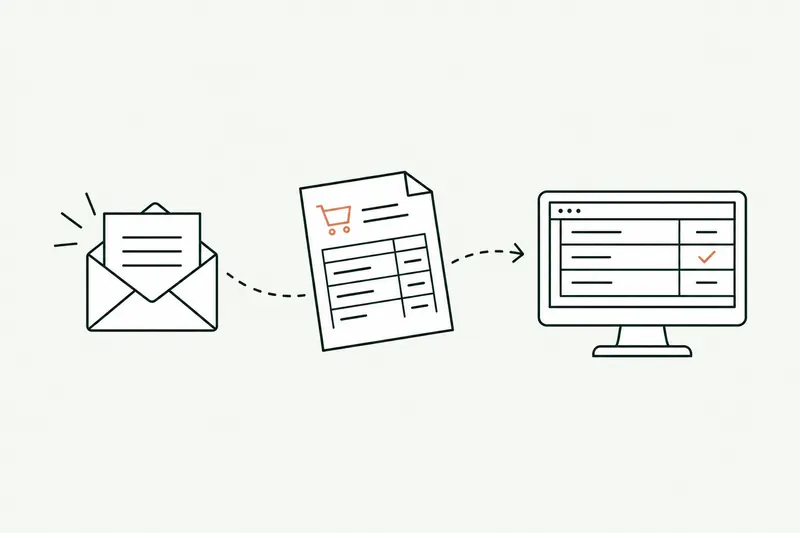
- Automation · 10 minEDI or AI: automating the entry of email orders into your ERPOrder EDI only covers your biggest customers: the others still send PDFs, spreadsheets, and emails that the order desk retypes into the ERP. Here’s how AI reads those orders, checks them against your rules, and prepares them in the software, and what e-invoicing won’t change.Read the article
- Agents & chatbots · 11 minAI agent, chatbot, or automation: what’s the difference, and which one fits your business?An AI agent decides the next step on its own and acts in your software, a chatbot answers questions, and an automation follows a path written in advance. Here’s how to tell them apart, six examples from a small business’s day-to-day, and five questions so you don’t pay for an agent where a rule will do.Read the article