Service · AI integration
AI integration: Claude, ChatGPT, or Copilot in your tools.
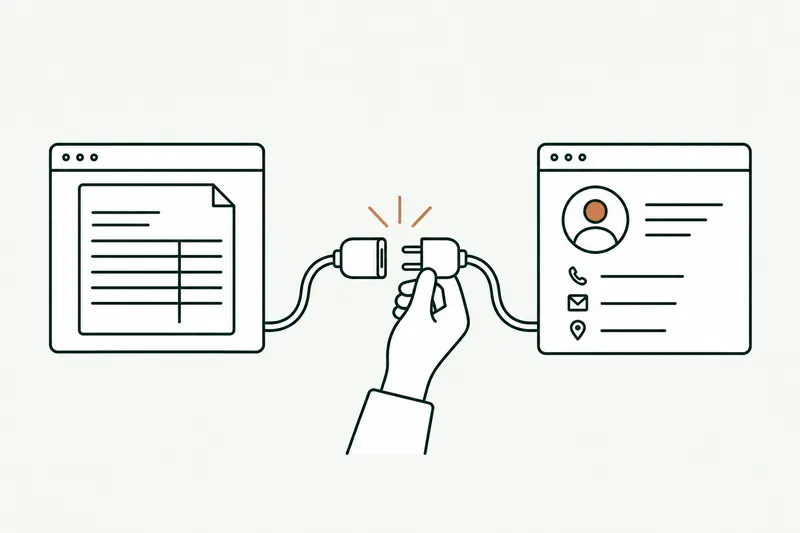
With my AI integration services, Claude, ChatGPT, Copilot, or Mistral plug into your CRM, ERP, and documents. Your team asks a question, and the AI answers with your real data. Everyone keeps their own access rights, and your data isn’t used to train the models.
- Your choice of AI model, no resold licenses
- Each person’s access rights, kept as is
- Your team trained on its own tasks
30-minute callNo commitmentReply within 24 hours
Request in the CRMExample
- ReadsCRM record, 12 months of ERP ordersWaitingIn progressDone
- ChecksSophie’s rights: her accounts onlyWaitingIn progressDone
- PreparesSummary, 2 products down, 3 questionsWaitingIn progressDone
- ProposesVisit confirmation email draftedWaitingIn progressDone
The problem
AI is already in your office, just not in your software.
Your team uses ChatGPT or Copilot, often on personal accounts. The AI can’t see your CRM or your ERP: people copy, paste, and your data ends up who knows where.
- 01
Copy-paste for every question
For a useful answer, you must paste in the customer record, ERP export, or contract. The AI knows nothing about your business.
- 02
Data leaving with no guardrails
Purchase prices, contracts, client lists pasted into consumer apps: no one knows where they go or what happens to them.
- 03
Pilots that stay pilots
Everyone tests on their own, and nobody measures the gain. Without a connection to your software, AI stays just another gadget.
How it works
AI integration in four steps, from choosing the model to daily use.
The AI model reads your data when it answers, through access you control. Every request is logged.
- Step 1 · Choose
You choose the model
Claude, ChatGPT, Copilot, Gemini, or Mistral: the right provider for the job, European if you prefer.
- Step 2 · Connect
I connect it to your tools
CRM, ERP, documents, email: the AI reads what it needs through dedicated access, without copying your databases.
- Step 3 · Secure
Same access as each user
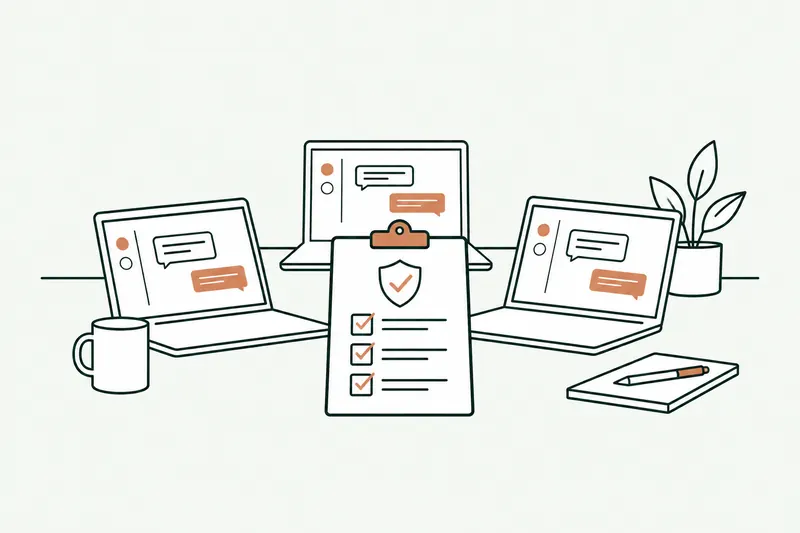
The AI only sees what the person using it can already see. Access keys stay in a vault, never in the code.
- Step 4 · Use
Your team puts it to work
In Microsoft Teams, in the CRM, or in the assistant they already know: every answer draws on your real data.
Two modes, set task by task
When the AI drafts an email, a note, or a CRM update, the person reviews and confirms it before it goes out. Every new use case starts this way.
Once a use case has proven itself, like filling in a record after a call, the AI writes to the software on its own. If in doubt, or if data is missing, it hands control back to the person.
Before and after
What changes when AI can see your data.
The first gains come from the questions your team already asks AI, finally given the right context.
| Task | Today | With the tool | Review |
|---|---|---|---|
| Customer meeting prep | CRM record, ERP history, and emails reread one by one | Summary ready, with the numbers and talking points | Fully automated |
| Replying to a customer email | Looking things up, drafting | Reply drafted with the customer’s data | Sender approves |
| Call or meeting notes | Notes typed, then retyped into the CRM | Summary and next steps added to the record | Automatic after trial runs |
| Analyzing a customer’s sales | Excel export, pivot table, formatting | Question in plain English, answer with figures and sources | Fully automated |
| Team use of ChatGPT | Personal accounts, data pasted with no guardrails | Business accounts, access rights, log | Approved uses |
Typical example: actual times depend on your volumes and are measured during the audit.
Use cases
Six AI integrations in small business software.
Every integration starts from a real task your team does, not from yet another subscription.
- 01
AI in the CRM
Customer summaries, meeting prep, records updated after every exchange.
- 02
AI on the ERP
Sales, margins, inventory: questions in plain English, answers drawn from your numbers.
- 03
AI on your documents
Contracts, procedures, spec sheets: the answer, with the source document and page.
- 04
AI in your inbox
Replies drafted in Outlook or Gmail, with the customer’s history and your terms.
- 05
Managed Copilot & ChatGPT
Business accounts, an AI use policy, access to the right tools: the AI your team already uses, with clear rules.
- 06
Reports with commentary
Numbers from several tools in one place, with commentary and the variances worth a look.
Show me where your team copy-pastes into AI.
In 30 minutes, I’ll show you that same question answered from your own software. No commitment.
Who it’s for
A good fit if…
- Your team already uses ChatGPT or Copilot
- Your data lives in a CRM, an ERP, or shared folders
- You want to know where your data goes
- A specific use case comes up daily or weekly
Limits
What I don’t do
- Rolling out AI everywhere with no clear use case
- Giving the AI more access than the person has
- Promising that AI never makes mistakes
- Pushing an AI provider that doesn’t suit you
Your software
The AI model you choose, connected to your software.
No new tool to force on anyone: the AI works inside your CRM, your ERP, your email, and your shared folders.
- Claude
- ChatGPT
- Copilot
- Mistral AI
- Gemini
- HubSpot
- Salesforce
- Sage
- Odoo
- SAP
- SharePoint
- Teams
Don’t see your business software? If it can share its data (API or export), the AI can connect to it.
What you get
- AI connected to your software, on your real data
- Each person’s access rights, kept as they are
- Business accounts in your name, with no training on your data
- A request log and an AI use policy
- Training for your team on their own tasks
Scope, fixed price, and deadline in writing up front. Accounts and code in your name.
From first call to go-live
Five steps, from first call to AI in production.
One use case and one team first, then we expand whatever saves time.
About
You talk to the person who builds it.

Loïc Legrand
AI developer & UX designer · Paris
As the founder of DigitalCX, I take your first call, design the tool, write the code, and look after it once it’s live.
- No salespeople, no subcontracting
- 8 years of experience
My AI agents
They catch blind spots from the start and watch for instability.
- Testing agentReplays every real case before delivery
- Code review agentReviews every code change
- Documentation agentUpdates the guide and the log
- Monitoring agentChecks nightly that everything runs
- Updates agentTracks updates to your software
Every piece of work an agent prepares goes out only after Loïc approves it.
Clients who’ve trusted me.
From SMBs to international groups.












- Jobify
The guide
AI integration for small businesses: from first use case to production.
AI integration means connecting an AI model (Claude, ChatGPT, Copilot, Mistral) to your software and data, so it answers and acts with your company’s context. It’s the difference between an assistant that knows everything in general and a tool that knows your customers.
This guide answers the questions business owners ask when they want to go beyond their team’s ChatGPT accounts: where to start, which provider, what rules for data, and what funding is available in France.
Unusual situation? In 30 minutes, I’ll tell you what AI can take on, and what it shouldn’t do.
Book a call01Where should a small business start with AI integration?
Not with the tool. With the use case. The right starting point is a specific task your team does often, one that involves looking things up or writing, and whose result is easy to check: preparing a meeting, answering a recurring request, summarizing a call, finding a clause.
Three questions are enough to choose. Where is the useful data (CRM, ERP, folders, emails)? Who’s allowed to see it? How will you know the AI saved time? These questions are the core of the AI audit: 10 days to rank use cases by payoff and difficulty, and to check access to the data.
Then you start small, with one use case and one team, and expand what works. A successful integration is measured by daily use, not by the number of licenses.
02Why so many AI integration projects never get past the pilot
Many AI proofs of concept never reach production. The causes tend to repeat, and the tool is rarely one of them.
- No connection: the AI sits in a separate window, with no access to the CRM or ERP. People have to copy-paste, and the effort wears them down.
- No specific use: “use AI” isn’t an instruction. Without a defined task, everyone tries it, then gives up.
- No support: teams don’t know what to ask, or how to check an answer.
- No measurement: nobody knows whether the pilot saved time, so nobody champions it.
A well-designed integration handles all four from day one: a written use case, a connection to your software, training on your own tasks, and a before-and-after measurement.
03Integrate AI into your software instead of adding a tool
Every new tool means one more account, one more habit, one more window. Adoption collapses within a few weeks. AI that shows up where your team already works (the CRM, email, Microsoft Teams), on the other hand, gets used without effort.
Technically, the integration runs through your software’s APIs (the same work as a standard API integration, with an AI model at the end): the AI reads the customer record, the orders, or the document at the moment it’s asked, then can write the result in the right place. The MCP protocol, adopted by several major AI providers, simplifies these connections and saves you from rebuilding everything if you switch providers.
One connection serves several uses: once the CRM is connected, meeting prep, call notes, and follow-ups all benefit. When the AI needs to go further and carry a task through to the end in your software, that’s an AI agent for business.
04Claude, ChatGPT, Copilot, or Mistral: which AI provider should you choose?
There’s no best model in absolute terms, only the right model for a given use. A few pointers:
- Microsoft Copilot is the natural choice when your company runs on Microsoft 365 (Outlook, Teams, SharePoint).
- ChatGPT and Claude are very strong at writing, analyzing long documents, and multistep tasks.
- Mistral AI, a French company, meets data sovereignty requirements or a preference for a European provider.
- Gemini fits naturally into Google Workspace.
I don’t resell any subscriptions: I advise you based on the use, the cost, and your data requirements. Accounts are opened in your name, and the integration is designed so you can switch models without starting over. Several models can also work side by side, each on the task it does best.
05Data, access rights, and compliance
Connecting AI to your software means giving it access to sensitive data. Four rules govern every integration.
- Business plans: on the APIs and enterprise plans from OpenAI and Anthropic, your data isn’t used to train the models by default. That’s not always the case with consumer plans or personal accounts.
- Each person’s access rights: the AI only sees what the user can already see in the CRM or ERP.
- As little data as possible: only the fields that matter are sent to the model, and access keys stay in a vault.
- GDPR compliance: a data processing agreement with the provider, an up-to-date record of processing activities, and an EU region when the provider offers one.
A log keeps track of every request: you know who asked what, and on which data.
06Funding, team training, and who does what
In France, public programs help small businesses. Bpifrance, for example, offers the Diag Data IA, partly state-funded and run by accredited experts. I’m not an accredited expert, but I can build the tools your assessment recommends. Depending on your industry, your OPCO (a French training fund) may cover part of your team’s training.
Training matters as much as the connection: it’s the heart of change management. It’s built around your team’s real tasks: what to ask, how to check an answer, when not to use AI.
The split of roles is simple. You choose the use cases, grant access, and name a point person. I design, connect, secure, train, and measure, as an AI integrator who doesn’t resell any licenses.
Questions
Your questions about AI integration. Straight answers.
Where to start, data, teams, budget: what business owners ask me before integrating AI.
01We already have ChatGPT or Copilot. Why go further?
Because on their own, ChatGPT and Copilot can’t see your CRM or your ERP. A ChatGPT or Copilot integration gives them your company’s context, with each person’s access rights, and turns a general-purpose assistant into a tool that knows your customers and your numbers.
02Do ChatGPT and Claude train on our data?
Not with the APIs and enterprise plans, where training on your data is turned off by default. On consumer plans or personal accounts, the settings vary: that’s why I open business accounts in your name. And if you want to keep your data in Europe, Mistral AI or an EU region with the other providers makes that possible.
01How do you actually integrate AI into a small business?
By starting from a specific task, not a tool: preparing a meeting, answering a recurring request, summarizing a call. You connect AI to the software where the data lives, with a pilot team, then expand whatever saved time. The audit is how you choose that first task.
02Does my team need AI training?
Yes, and it’s often what makes AI integration succeed. Training covers their own tasks: what to ask, how to check, when to do without it. A few hours are enough when the tool is properly connected.
01How much do AI integration services cost?
The budget depends on how many tools to connect and how many use cases to cover. Each step has its own fixed price, set out in the written proposal, and the audit fee is credited toward the prototype. If the prototype shows no gain on your data, we stop there, without having paid for an entire project.
02Is there funding for AI integration in a small business?
Yes, in France. Bpifrance offers the Diag Data IA, carried out by accredited experts, and your OPCO can cover part of the training depending on your industry. I’m not an accredited expert, but I’m glad to build the tools your assessment recommends.
Use cases
This service, on a real problem
Related services
Often combined with
Contact
Which task do you want to stop doing by hand?
Describe it in one sentence. I’ll tell you if AI can really take it off your plate.
On the call, we look at your workflow together and I show you the closest tool, on sample data. If a simple setting in your software does the job, I’ll tell you.
The blog
Go further
- Automation · 11 minSage 100 API (France): connecting AI and your other software to your ERPThere isn’t one Sage 100 API, but several ways in, and the right one depends on your version and your hosting. Here’s a neutral map of those paths, what each one lets you read or write, how to plug AI into them, and where Odoo, EBP, and Cegid stand.Read the article
- Data & security · 10 minShadow AI: your team already uses ChatGPT. How to manage it without banning itShadow AI is the use of ChatGPT, Claude, or Copilot at work with personal accounts, outside any framework. The risk isn’t AI, it’s the account: here’s what the numbers, France’s CNIL, and ANSSI say, which accounts to choose, and a one-page AI policy template.Read the article
- Planning & costs · 11 minBpifrance Diag Data IA: cost, eligibility, and other AI grants for businesses in France in 2026Bpifrance’s Diag Data IA costs at most €10,000 before tax, 40% of it covered: €6,000 before tax left to pay for 8 days of expert work. Who qualifies, what it really delivers, the other AI grants for small businesses in France in 2026, and the question nobody asks: who builds it next?Read the article