Service · Business process automation
Business process automation with AI, inside your software.
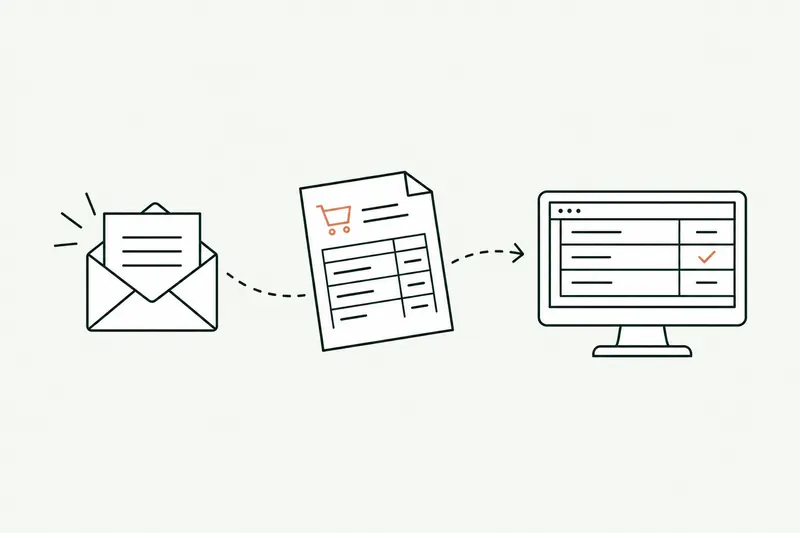
Business process automation, AI edition: orders, quotes, invoices, and follow-ups are read as they arrive, checked against your rules, and entered in your software. A person reviews them at first. Once a task runs cleanly, it can run on its own.
- Data entered once, and only once
- Human review, set task by task
- Prototype on your data in 5 days
30-minute callNo commitmentReply within 24 hours
Incoming orderExample
- ReadsCustomer, 14 lines, delivery dateWaitingIn progressDone
- ChecksPrices, stock, flagged discountsWaitingIn progressDone
- PreparesOrder ready in the ERPWaitingIn progressDone
- ActsEntered, confirmation sentWaitingIn progressDone
The problem
Retyping costs a lot, and nobody sees it.
In most small businesses, the same piece of information gets typed two or three times: from email to ERP, from ERP to spreadsheet, from spreadsheet to CRM.
- 01
Retyping eats up the day
PDF purchase orders, price requests, vendor invoices: every document is reread and retyped by hand, line by line.
- 02
One mistake, and there goes the margin
A swapped 8 and 2, a forgotten discount, the wrong SKU: the error slips through, then costs you a credit note, a return, or an unhappy customer.
- 03
Volume grows faster than your team
As the business grows, so does the retyping. Your best people spend their days on it instead of selling, buying, or advising.
How it works
An automated business process, step by step.
The tool follows the path your team already takes, in the software you use today. It logs every action, and you can read the log anytime.
- Step 1 · Reads
It reads every incoming document
Emails, PDFs, website forms, Excel files: AI extracts the useful information, even when the layout changes.
- Step 2 · Checks
It checks against your rules
Prices, customer terms, stock, thresholds: any line outside your rules is set aside and flagged, never entered silently.
- Step 3 · Prepares
It prepares the action in the ERP
Order, quote, journal entry, follow-up: everything is ready in the ERP or CRM, with the source of every piece of information.
- Step 4 · Acts
It acts, on its own or after your OK
Depending on how the task is set, a person approves in one click, or the tool records and sends on its own.
Two modes, set task by task
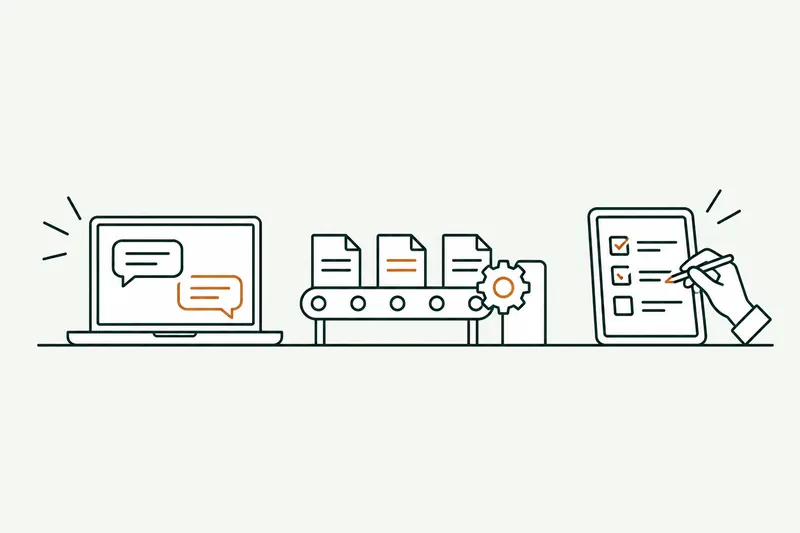
The tool prepares everything, and a person on your team reviews and approves it. Every new task starts this way.
A task confirmed week after week without corrections can switch to fully automated. An order outside the rules, though, always goes back to a person.
Before and after
What changes on the most common processes.
The processes that pay off fastest are frequent, repetitive, and easy to check.
| Task | Today | With the tool | Review |
|---|---|---|---|
| Entering orders received by email | Reading the PDF and keying it into the ERP line by line | Order prepared, price gaps flagged | One-click approval |
| Quote requests | Looking up prices, formatting, sending | Quote priced from your price list, ready to send | Sales approval |
| Vendor invoices | Data entry, matching with the purchase order | Read, matched, discrepancy flagged | Automatic if everything matches |
| Customer follow-ups | A list to maintain, emails one by one | Follow-up drafted at the right time, with the history | Automatic after trial runs |
| CRM updates | Copy-pasting from emails | Record updated after every exchange | Fully automated |
Typical example: actual times depend on your volumes and are measured during the audit.
Use cases
Six business processes that often get automated.
Every project starts from a real task on your team, not from a catalog.
- 01
Order entry
Purchase orders read as they arrive and entered in the ERP, with a confirmation sent to the customer and the expected date.
- 02
Customer quote pricing
Price requests calculated from your price list and the customer’s terms, quote formatted and ready to go.
- 03
Vendor invoices
Amounts extracted, matched with the order and the receiving slip, every discrepancy flagged to accounting.
- 04
Incoming email triage
Every message sorted, summarized, and passed to the right person, with a reply already drafted for them.
- 05
Customer follow-ups and tracking
Unanswered quotes, missing documents, due dates: the follow-up goes out at the right time, with the customer’s history.
- 06
Management reports
The numbers from your software on one page, every Monday, with the variances that deserve your attention.
Show me the task you no longer want to do.
Thirty minutes is enough to see, on a case close to yours, what it would look like automated. No commitment.
Who it’s for
A good fit if…
- The task comes back every day or every week
- It follows rules your team can explain
- The information is in emails, PDFs, or your software
- A mistake is expensive, or volume is growing faster than your team
Limits
What I don’t do
- Automating a task that’s rare or different every time
- Adding AI when a rule in your software already does the job
- Leaving a high-stakes decision to the tool alone
- Connecting software that can’t share its data
Your software
Plugged into the software you already use.
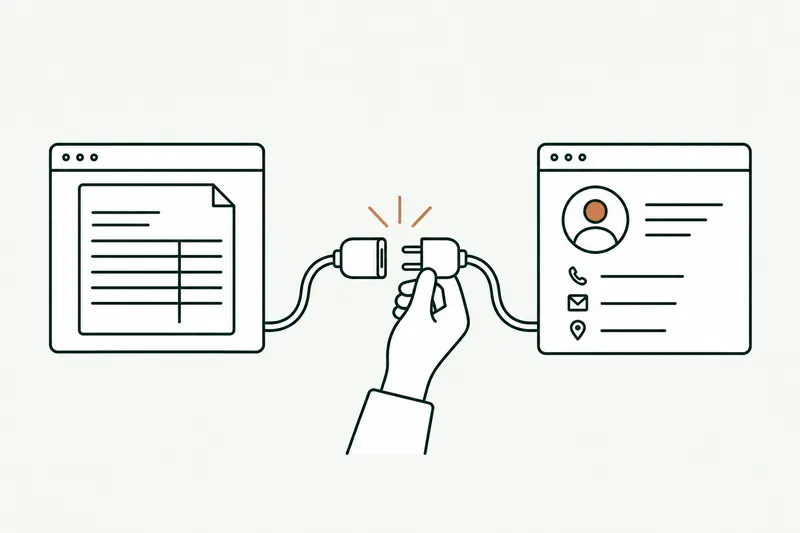
No new tool to learn: the automation works inside your ERP, your CRM, and your inbox.
- Outlook
- Gmail
- Sage
- SAP
- Odoo
 Cegid
Cegid EBP
EBP- HubSpot
- Salesforce
- Excel
- Google Sheets
- SharePoint
Don’t see your software? If it can share its data (API or export), it can be connected.
What you get
- The automation live, on your real data
- A log of every action, available anytime
- Human review settings, task by task
- A user guide and training for your team
- An alert if anything goes wrong, and an immediate switch to manual
Scope, fixed price, and deadline in writing up front. Accounts and code in your name.
From first call to go-live
From first call to a live process.
Audit, prototype, go-live: you decide on each step separately, each with its deliverable and timeline.
About
You talk to the person who builds it.

Loïc Legrand
AI developer & UX designer · Paris
As the founder of DigitalCX, I take your first call, design the tool, write the code, and look after it once it’s live.
- No salespeople, no subcontracting
- 8 years of experience
My AI agents
They catch blind spots from the start and watch for instability.
- Testing agentReplays every real case before delivery
- Code review agentReviews every code change
- Documentation agentUpdates the guide and the log
- Monitoring agentChecks nightly that everything runs
- Updates agentTracks updates to your software
Every piece of work an agent prepares goes out only after Loïc approves it.
Clients who’ve trusted me.
From SMBs to international groups.












- Jobify
The guide
Business process automation: where to start, what it costs, which safeguards.
Business process automation means handing repetitive tasks that always follow the same path to software: receive an order, check it, enter it, notify the customer. With AI, that path can now start from unstructured documents (emails, PDFs, scans), which was out of reach for traditional tools.
Definition, how it differs from RPA, which processes to pick, cost, timelines, and control: what to know before a first project.
Unusual situation? In 30 minutes, I’ll tell you what AI can take on, and what it shouldn’t do.
Book a call01What is business process automation?
A business process is a series of steps that produces a result for the company: an order entered, an invoice paid, a quote sent. Automating it means handing some or all of those steps to software that runs them the same way every time, with no retyping.
You’ll also hear BPA (business process automation), automated workflow, or simply task automation. The principle is always the same: a trigger (an email received, a date, a form), a series of actions in your software, and a traceable result.
The goal isn’t to remove people but to take away the low-value work: retyping, comparing, filing, chasing. These tasks often get dismissed as unimportant, until the mistake that costs you a credit note or a customer. Your team keeps the decisions and the conversations that matter.
02Traditional automation, RPA, or AI automation: what’s the difference?
Traditional automation (rules, connectors, tools like Make or n8n) links software together when the data is already clean and structured: a form that creates a contact, an order that generates an invoice.
RPA, or robotic process automation, mimics a person’s clicks on a screen. It helps when software has no API, but it breaks as soon as the screen changes.
AI automation adds reading and understanding: a PDF purchase order that doesn’t look like the last customer’s, an email in the sender’s own words, an ambiguous request. It extracts the information, compares it with your rules, and prepares the action. A well-designed project combines all three: rules wherever they’re enough, AI only at the steps that require reading or interpreting. When the task also means choosing the right next step among several, you move up to an AI agent.
03Which business processes should you automate first?
The best candidates meet four criteria: they’re frequent (daily or weekly), repetitive (they follow known rules), measurable (you know how long they take), and easy to check (a person can verify the result at a glance).
In practice, in wholesale and distribution, manufacturing, and business services, I almost always start with one of these five processes:
- entering orders received by email;
- pricing quotes;
- processing vendor invoices;
- sorting incoming emails;
- following up with customers and suppliers.
They’re visible, their gains show up in hours within the first few weeks, and they set up the connections the next ones will need. If you’re torn between several candidates, an AI audit ranks them by gain and difficulty.
04How much does business process automation cost?
The cost depends on three things: the number of tools to connect, the variety of documents to read, and the level of control you want. A simple automation between two tools is nothing like a tool that reads orders from fifty customers, each in a different format.
At DigitalCX, each of the three steps (audit, prototype on your data, go-live) has its own fixed price, in writing before any work starts. If the project continues, the audit fee is credited toward the prototype.
Two recurring costs remain, paid on accounts opened in your name, with no commission for me: usage of the AI model, billed by its provider based on volume, and hosting. Monthly support is optional. Before comparing offers, always ask what happens when your volume doubles: that’s where opaque flat fees get expensive.
05How long does it take to automate a process?
The timeline fits into three steps, each with its own date.
- The audit, ten business days: it measures the time lost, checks access to the data, and ranks processes by gain and difficulty.
- The prototype, five days: it runs on your own data, and your team tests it on real documents.
- Go-live, on the date written in the proposal: the tool works inside your software, with human approval at the start.
Your team spends a few hours on it during the audit, to show how the task is done today, then a short trial of the prototype. Quick wins come first: a first task can run while the next ones are being built, reusing the same connections to the ERP and CRM.
06How do you stay in control of AI automation?
Three safeguards make automation reliable.
- Rules: the tool only enters what meets your thresholds (prices, discounts, quantities, customer terms) and sets the rest aside.
- The log: every action is recorded with the original document, so you can see in an instant what was done, when, and why.
- Human review settings: task by task, you choose between approval by a person and fully automated operation.
An AI model can make mistakes: that’s why a new task starts in approval mode. The goal is fewer errors, not a promise of perfection. Once a task has been confirmed many times without corrections, you can let it run on its own, and switch back to manual in one click if anything looks off.
Questions
Your questions about automation. Straight answers.
ERP, control, outages, cost: the questions that come up before automating a first process.
01Does business process automation work with my ERP?
Yes, as long as your ERP opens its data through an API or exports, as Sage, SAP, Odoo, Cegid, EBP, and most recent software do. I check it on your setup before any proposal.
02Will AI make decisions for me?
Only where you decide it should. Each task has its own setting: either a person approves before anything is sent, or the tool acts on its own. Cases that fall outside the rules always go back to your team.
01What happens if the automation goes down?
The tool is monitored and alerts you at the first sign of trouble. You switch back to manual processing in one click, and you reach the person who built it directly. Anything that doesn’t match the written scope is corrected at my expense.
02Will automation replace my employees?
That’s not the goal. The tool takes away the retyping and checking nobody wants to do; your team keeps customer relationships, decisions, and the tricky cases. The time you get back goes to work that adds value.
01What does business process automation cost?
Each step has a fixed price, in writing before we start: audit, prototype, go-live. AI usage is paid directly to its provider, in your name and with no markup. If you continue, you don’t pay for the audit twice: it’s deducted from the prototype price.
02How quickly can a process be automated?
Two weeks of audit, one week of prototyping on your real documents, then the tool goes live on the date written in the proposal. On your side, a few hours during the audit and a short trial of the prototype.
Use cases
This service, on a real problem
- Data entry & repetitive tasksOrders and emails retyped by hand. Video example.
- Reports & KPIsYour numbers, scattered across three tools. Video example.
Related services
Often combined with
Contact
Which task do you want to stop doing by hand?
Describe it in one sentence. I’ll tell you if AI can really take it off your plate.
On the call, we look at your workflow together and I show you the closest tool, on sample data. If a simple setting in your software does the job, I’ll tell you.
The blog
Go further
- Automation · 10 minEDI or AI: automating the entry of email orders into your ERPOrder EDI only covers your biggest customers: the others still send PDFs, spreadsheets, and emails that the order desk retypes into the ERP. Here’s how AI reads those orders, checks them against your rules, and prepares them in the software, and what e-invoicing won’t change.Read the article
- Automation · 11 minSage 100 API (France): connecting AI and your other software to your ERPThere isn’t one Sage 100 API, but several ways in, and the right one depends on your version and your hosting. Here’s a neutral map of those paths, what each one lets you read or write, how to plug AI into them, and where Odoo, EBP, and Cegid stand.Read the article
- Agents & chatbots · 11 minAI agent, chatbot, or automation: what’s the difference, and which one fits your business?An AI agent decides the next step on its own and acts in your software, a chatbot answers questions, and an automation follows a path written in advance. Here’s how to tell them apart, six examples from a small business’s day-to-day, and five questions so you don’t pay for an agent where a rule will do.Read the article