Service · AI chatbot for your documents
AI chatbot for business on your documents: sourced answers in seconds.
An AI chatbot for business that knows your spec sheets, manuals, procedures, and terms of sale: it finds the answer and cites the page it comes from. Each person only sees what they’re allowed to open.
- The source cited in every answer
- Everyone’s access rights respected
- Answers in Teams or on your intranet
30-minute callNo commitmentReply within 24 hours
Technician’s questionExample
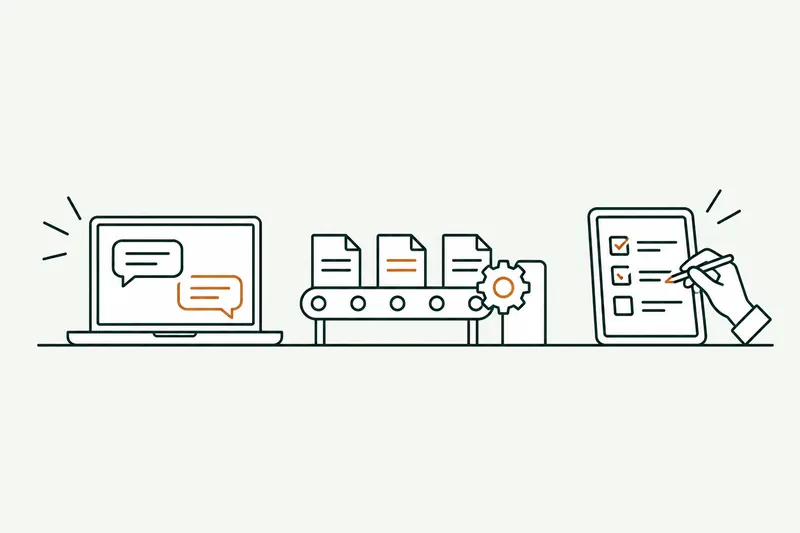
- SearchesSpecs, assembly guide, 2 versionsWaitingIn progressDone
- ChecksPaul’s access, latest versionWaitingIn progressDone
- DraftsShort answer, value and unitWaitingIn progressDone
- AnswersIn Teams, with a link to the pageWaitingIn progressDone
The problem
The information exists, but nobody can find it.
Your company’s know-how sits in shared folders, PDFs, and a few people’s heads. Every question costs a search, or an interrupted colleague.
- 01
Searches that eat up the day
Shared folders, intranet, inboxes: finding the right spec sheet or the latest procedure takes fifteen minutes, several times a day.
- 02
The same people, asked over and over
The seasoned technician, the order desk lead: the people who know answer the same questions instead of doing their own work.
- 03
One outdated version, one mistake
An old manual, last year’s price list, a changed procedure: the wrong answer goes out to the customer or the job site.
How it works
An AI chatbot for business that searches, then answers with its source.
The chatbot doesn’t answer from memory: it first finds the relevant passages in your documents, then writes the answer from them alone.
- Step 1 · Understands
It understands the question
Asked in plain language, in Teams, on the intranet, or in your software: part numbers, customers, and products are recognized.
- Step 2 · Searches
It searches your documents
Spec sheets, PDFs, procedures, contracts: only the ones the person asking is allowed to open.
- Step 3 · Drafts
It writes from the source
A short answer, with the document and page it comes from. If the information is missing, it says so instead of making something up.
- Step 4 · Hands off
It hands off when needed
Question out of scope or answer uncertain: it goes to the right person, along with what’s already been found.
Two modes, set task by task
For answers that go out to a customer, the chatbot drafts and a person reviews before sending. Every new use case starts this way.
For internal questions your documents cover well, it answers alone, citing the source. No reliable source, no answer: it passes the question on.
Before and after
What changes for everyday questions.
The questions that pay off fastest come up often and have their answer in a document you already have.
| Task | Today | With the tool | Review |
|---|---|---|---|
| A field technician’s question | Calling the experienced colleague, or digging through PDFs | Answer in seconds, with the manual page | Fully automated |
| Terms of sale for a customer | Searching contracts and emails | Terms found, clause cited | Automatic after trial runs |
| Customer support replies | Ticket read, documentation searched, reply typed | Reply drafted from the documentation | Support team approval |
| Internal procedure (purchasing, quality) | Asking the manager or the quality team | Steps of the current procedure, with the link | Fully automated |
| Onboarding a new hire | Questions asked of coworkers, one by one | Answers drawn from the handbook and procedures | Automatic if source is clear |
Typical example: actual times depend on your volumes and are measured during the audit.
Use cases
Six uses for a knowledge base chatbot.
Each chatbot starts from your documents and the questions your team actually asks.
- 01
Technician support
Spec sheets, assembly guides, and service histories, one question away.
- 02
Customer support answers
Replies drafted from your documentation, sent after review or on their own, depending on the setting you choose.
- 03
Contracts and terms of sale
Terms of sale, warranties, supplier clauses: the answer comes with the exact contract reference.
- 04
Quality and internal procedures
The current procedure, not the old one: the chatbot always cites the latest version approved by quality.
- 05
Onboarding new hires
Questions from the first few weeks get answered from the employee handbook, without bothering the whole team.
- 06
Catalog and part numbers
Equivalents, compatibility, specs: the right part number, pulled from your catalogs.
Show me the documents your team digs through.
In 30 minutes, I’ll show you a chatbot that answers from them. No commitment.
Who it’s for
A good fit if…
- The same questions come back every week
- Their answers are written down somewhere in your company
- A few people get asked all the time
- A wrong answer is costly, hence the source
Limits
What I don’t do
- Answering with no reference document to back it up
- Opening restricted documents to everyone
- Letting the chatbot settle a legal question
- Taking the place of your team’s expertise
Your software
Plugged in where your documents already live.
No new knowledge base to fill: the chatbot reads your shared folders, intranet, and software, and answers where your team already works.
- SharePoint
- Google Drive
- Notion
- Teams
- Slack
- Outlook
- Gmail
- Odoo
- SAP
- Sage
- Claude
- Mistral AI
PDF, Word, Excel, scans, intranet, ticketing tool: if software can read them or export them, the chatbot can use them.
What you get
- The chatbot live, connected to your documents
- The source cited in every answer
- Each person’s access rights respected
- A log of questions and answers
- Updates when your documents change
Scope, fixed price, and deadline in writing up front. Accounts and code in your name.
From first call to go-live
From first call to a chatbot that answers.
Documents inventoried, prototype tested by your team, go-live: you decide on each stage separately.
About
You talk to the person who builds it.

Loïc Legrand
AI developer & UX designer · Paris
As the founder of DigitalCX, I take your first call, design the tool, write the code, and look after it once it’s live.
- No salespeople, no subcontracting
- 8 years of experience
My AI agents
They catch blind spots from the start and watch for instability.
- Testing agentReplays every real case before delivery
- Code review agentReviews every code change
- Documentation agentUpdates the guide and the log
- Monitoring agentChecks nightly that everything runs
- Updates agentTracks updates to your software
Every piece of work an agent prepares goes out only after Loïc approves it.
Clients who’ve trusted me.
From SMBs to international groups.












- Jobify
The guide
AI chatbot for business: RAG, accuracy, security, cost.
An AI chatbot for business is an AI assistant that answers questions in plain language. The most useful one for a small business isn’t the one that knows everything, but the one that knows your documents: your spec sheets, your procedures, your terms of sale.
How it reads your documents, how to stop it from making things up, where your data goes, what it costs: the basics, no jargon.
Unusual situation? In 30 minutes, I’ll tell you what AI can take on, and what it shouldn’t do.
Book a call01A chatbot for your team or for your customers?
There are two uses. An internal chatbot serves your team: technicians, sales reps, order desk, quality. It replaces digging through shared folders and asking the same colleague the same question ten times. An external chatbot answers your customers, on your website, by email, or in a support tool.
Both rely on the same knowledge base, but not the same settings. Internally, an answer can go out on its own as soon as the source is clear. With customers, you almost always start with human review, then ease off where it has proven itself.
This page is mostly about the chatbot for your internal documents, your team’s AI assistant. Answering your website visitors is a separate service: the AI chatbot for your website. And if the answer needs to trigger an action (data entry, a follow-up, an update), that’s an AI agent.
02How a RAG chatbot answers from your documents (in plain terms)
An AI model like Claude or ChatGPT doesn’t know your spec sheets. To get accurate answers, you use a method called RAG (retrieval-augmented generation): the AI looks up the answer in your documents before it replies. It works in three steps.
- Prepare: your documents are split into passages and indexed, like a library’s detailed catalog.
- Search: for each question, the chatbot finds the few passages that answer it, among the documents the person is allowed to see.
- Write: the AI model writes the answer from those passages alone, and shows the source document and page.
The model learns nothing from your documents: it reads them when it answers. When a spec sheet changes, you just update it in the index. No retraining needed.
03How do you keep a chatbot from making up answers?
An AI model can make mistakes, and it makes them confidently. The risk doesn’t disappear, but four design rules reduce it sharply.
- Answer only from sources: if the information isn’t in your documents, the chatbot says so and offers to hand off.
- Cite every source: the user checks it in one click, on the original page.
- A single reference version: old manuals and drafts are kept out of the index.
- Testing before go-live: the chatbot is tested on a list of real questions from your team, with the expected answers, and the gap is measured.
The question log then shows what’s missing from your documents: often the first unexpected benefit.
04ChatGPT Enterprise, a no-code platform, or a custom AI chatbot?
No-code chatbot platforms are quick to set up. They work when your documents are few, public, and stored in one place, and everyone can see everything.
The business plans of the big assistants, like ChatGPT Enterprise or Copilot in Microsoft 365, can also search your shared folders. If your documents all live in those tools and their answers are good enough for you, keep them: I’ll tell you so.
Custom-built becomes worthwhile as soon as any of these conditions no longer holds: documents spread across several tools (SharePoint, Google Drive, ERP, ticketing tool), fine-grained access rights by person, scanned PDFs or technical tables that are hard to read, answers needed inside your business software rather than in a separate window. At DigitalCX, the chatbot is built on your tools, with the AI model of your choice, on accounts in your name, with no platform subscription locking you in. To set ground rules for ChatGPT or Copilot beyond documents, see AI integration.
05Access rights, hosting, and GDPR
An AI chatbot for business reads sensitive documents: contracts, purchase prices, HR files. Three points are settled at the design stage.
Access rights: the chatbot inherits those of your shared folders. A sales rep won’t see payslips just because they asked the right question. They’ll only see what they could already open.
Hosting: the index of your documents can stay on your servers or with a European host. Relevant passages are sent to the AI model at answer time. You pick a provider whose business plan doesn’t train its models on your data, in a European region when it offers one.
GDPR: a data processing agreement with the provider, an up-to-date record of processing activities, and as little personal data as possible in the index.
06Rollout and cost of an AI chatbot for business
Cost depends mainly on three things: the number and variety of documents, the number of tools to connect, and how fine-grained the access rights are. A chatbot on fifty manuals stored in one place is nothing like an assistant connected to three systems and fifteen years of archives.
At DigitalCX, each step is priced separately, in writing, before work starts. The audit (10 days) inventories the documents, frequent questions, and access rights. The prototype (5 days) already answers from a sample of your documents, which your team tests. Go-live follows on the agreed date.
After that, two usage costs, billed directly to your accounts with no middleman: the AI model, based on question volume, and hosting for the index. Monthly support is available, never required.
Questions
Your questions about business chatbots. Straight answers.
Documents, access rights, hosting, updates: what to settle before connecting your folders.
01AI chatbot for business or AI agent: which does what?
An AI chatbot for business answers questions: it searches, writes, and cites its source. An AI agent goes further and acts in your software, for example by entering an order. The two often work together: the chatbot answers, the agent acts.
02We already use ChatGPT or Copilot. Why a custom AI chatbot for business?
If your documents are all in Microsoft 365 or Google Drive and the answers are good enough, keep your tool. Custom-built makes sense when answers also live in the ERP or the support tool, when every answer must cite its page, or when you want to choose the AI model.
01Can the chatbot read our scanned PDFs and spec sheets?
Yes, in most cases. Scanned PDFs first go through character recognition (OCR), and technical tables are checked separately, since they cause the most trouble. I test your real documents during the audit, before any commitment to what comes next.
02How does the chatbot stay up to date when our documents change?
It rereads your folders at regular intervals and reindexes what has changed. A new manual or an updated procedure is picked up automatically, and the old version is set aside. You choose the frequency based on how often you update.
01Where is a business chatbot’s data hosted?
Your document index stays with you or with a European host, on accounts in your name. Only the passages relevant to a question are sent to the AI model, chosen from a business plan that doesn’t train its models on your data.
02Can an employee use the chatbot to see documents they don’t have access to?
No. The chatbot respects each person’s rights as they exist in your shared folders. It only searches the documents the person asking could already open.
Use cases
This service, on a real problem
Related services
Often combined with
Contact
Which task do you want to stop doing by hand?
Describe it in one sentence. I’ll tell you if AI can really take it off your plate.
On the call, we look at your workflow together and I show you the closest tool, on sample data. If a simple setting in your software does the job, I’ll tell you.
The blog
Go further
- Data & security · 10 minShadow AI: your team already uses ChatGPT. How to manage it without banning itShadow AI is the use of ChatGPT, Claude, or Copilot at work with personal accounts, outside any framework. The risk isn’t AI, it’s the account: here’s what the numbers, France’s CNIL, and ANSSI say, which accounts to choose, and a one-page AI policy template.Read the article
- Agents & chatbots · 11 minAI agent, chatbot, or automation: what’s the difference, and which one fits your business?An AI agent decides the next step on its own and acts in your software, a chatbot answers questions, and an automation follows a path written in advance. Here’s how to tell them apart, six examples from a small business’s day-to-day, and five questions so you don’t pay for an agent where a rule will do.Read the article
- Agents & chatbots · 10 minAI in customer service: what a chatbot should do, and what the EU AI Act requires in 2026A customer service AI handles recurring questions well, as long as it relies on your documents and hands off at the slightest doubt. Since August 2, 2026, the EU AI Act mainly requires one thing of it: to say clearly that it’s an AI. The rest, and what not to do.Read the article