Industry · Manufacturing
AI for manufacturing: the office keeps pace with the shop floor.
AI for small manufacturers starts in the office, not on the line: orders, technical quotes, supplier follow-ups, nonconformances. The tool cross-checks your production data and prepares the work in your ERP or MRP system. Your quality team reviews whatever it chooses, and low-stakes follow-ups run on their own.
- No sensors or smart factory needed
- Technical quotes from your routings
- Nonconformances tracked to the cause
30-minute callNo commitmentReply within 24 hours
Office log · ThursdayExample
- 7:45 AMDurand order entered, lead time checkedAuto
- 8:30 AMTechnical quote D-412 ready, 3 optionsApproved
- 9:10 AMNC-27 opened, likely cause suggestedApproved
- 10:20 AMData sheet sent to Martin SAAuto
- 11:05 AMPress 3: preventive service proposedApproved
- 12:00 PMLate supplier followed up, date loggedAuto
Tasks handled this morning: 0
Your day-to-day
The shop floor runs, the office makes customers wait.
Quotes stuck in a queue, scattered information, quality on paper: three bottlenecks your customers end up feeling.
- 01
Quotes stuck in engineering
Drawing, material, quantities, finishes: every request goes through the same person, who ends up pricing at night what didn’t get done during the day.
- 02
One work order, tracked in four tools
ERP, MRP, shop-floor spreadsheets, emails: to find out where an order stands, you have to ask around, call, and piece it together.
- 03
Quality tracked on paper
Nonconformances, complaints, corrective actions: logged by hand or in a spreadsheet, they get lost, and the same cause keeps coming back.
Six tasks to hand off to AI
From technical quotes to supplier follow-ups.
Six tasks from the office around the shop floor. They start under the eye of the people who do them today. Once a task raises no more questions, it can run on its own.
- Can run on its own
Enter customer orders in the ERP
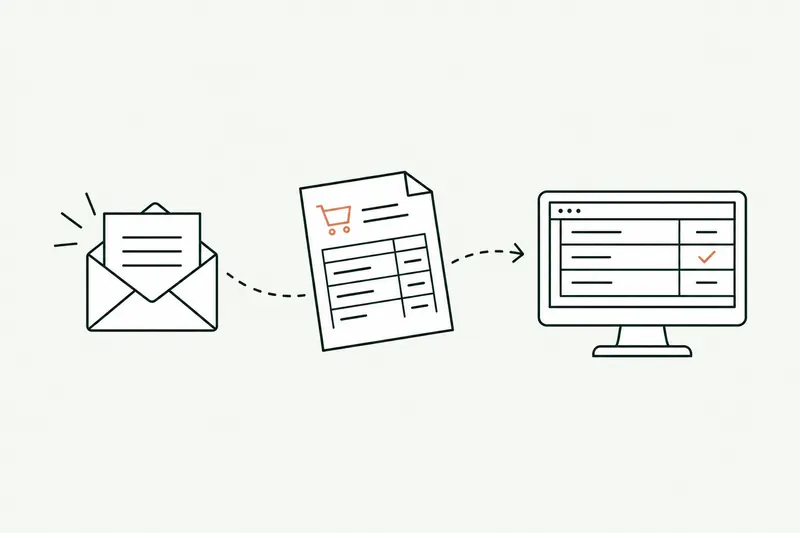
The purchase order is read, part numbers, quantities, and lead times checked against shop capacity, and the order created in the ERP or MRP.
ServiceBusiness process automation - With approval
Prepare technical quotes
The request is read, routings, run times, and material prices pulled up, and the quote prepared for the account manager to review.
ServiceBusiness process automation - Can run on its own
Answer from your technical documentation
Data sheets, manuals, material certs: the answer comes from your documents, with the page it came from.
ServiceAI chatbot for your documents - With approval
Track nonconformances
Complaint, scrap, or customer return: the NCR is opened, compared with past ones, and the likely cause suggested to quality.
ServiceAI agents for business - Can run on its own
Follow up with late suppliers
Purchase orders with no acknowledgment or running late are spotted, the follow-up goes out, and the new date is logged in the ERP.
ServiceAI agents for business - With approval
Build the production report
Late work orders, scrap, downtime, variances from plan: the Monday briefing fits on one page, with likely causes.
ServiceAI integration
A typical day
Monday in a small manufacturer’s office, before and after.
Same plant, same orders: hunting for information no longer eats up the morning.
Today
- 7:45 AMWeekend orders retyped into the ERP
- 9:00 AMThree quotes waiting, account manager in a meeting
- 10:30 AMCustomer calls about an order, walk to the shop floor
- 11:30 AMComplaint logged in a spreadsheet, no follow-up
With the tool
- 7:45 AMOrders entered, one unknown part number to approve
- 8:15 AMQuotes prepared, reviewed, and sent
- 9:00 AMWork order status answered from the ERP
- 9:30 AMNCR opened, likely cause sent to quality
Illustrative example: fictional company and schedule.
A technical quote request waiting on your desk?
On the first call, I’ll show you the tool that pulls up routings, run times, and material prices, on sample data. Thirty minutes, no commitment.
Your software
ERP, MRP, MES: the tool plugs right in.
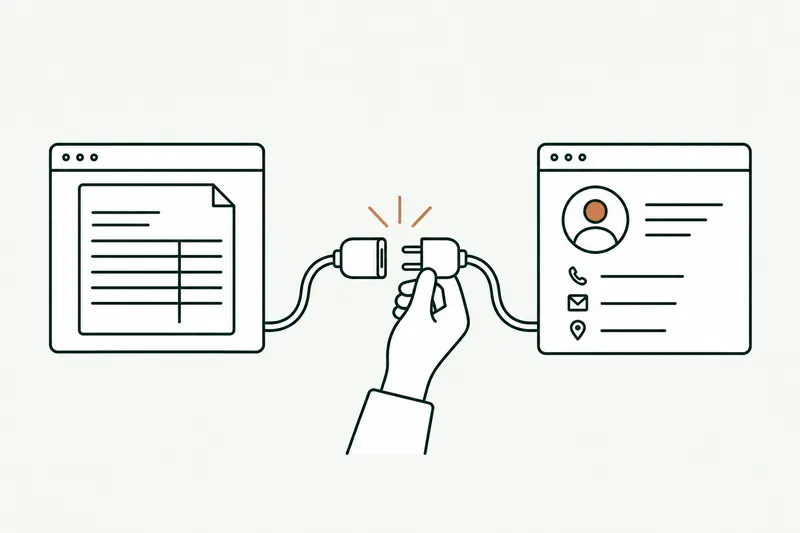
It reads from and writes to your ERP or MRP, your inbox, and your shop-floor spreadsheets, without touching the machines.
- Sage
- SAP
- Odoo
 Cegid
Cegid EBP
EBP- Outlook
- Gmail
- Excel
- Teams
- SharePoint
- Google Drive
- HubSpot
Divalto, Silog, Clipper, Sylob, Microsoft Dynamics, an MES, or an older MRP? An API, a readable database, or simple exports are often enough. I’ll check yours on the first call.
About
You talk to the person who builds it.

Loïc Legrand
AI developer & UX designer · Paris
As the founder of DigitalCX, I take your first call, design the tool, write the code, and look after it once it’s live.
- No salespeople, no subcontracting
- 8 years of experience
My AI agents
They catch blind spots from the start and watch for instability.
- Testing agentReplays every real case before delivery
- Code review agentReviews every code change
- Documentation agentUpdates the guide and the log
- Monitoring agentChecks nightly that everything runs
- Updates agentTracks updates to your software
Every piece of work an agent prepares goes out only after Loïc approves it.
Clients who’ve trusted me.
From SMBs to international groups.












- Jobify
The manufacturing guide
AI for small manufacturers: a practical guide.
Say “AI in manufacturing” and people picture robots, sensors, and smart factories. For a company of 20 to 200 people, the first gain is elsewhere: in the office around the shop floor. Orders, technical quotes, purchasing, documentation, quality: repetitive tasks, full of rules, where one mistake costs a delivery.
Unusual situation? In 30 minutes, I’ll tell you what AI can take on, and what it shouldn’t do.
Book a call01AI in manufacturing: where should you start?
With the task that comes up most often and has clear rules. At most small manufacturers, it’s one of these three:
- Customer order entry from email or PDF, with part numbers, quantities, and lead times checked.
- Technical quotes: pulling up the routing, run times, and material price, then preparing a proposal for the account manager to review.
- Supplier follow-ups: spotting purchase orders with no acknowledgment or running late, and updating the dates in the ERP.
It’s business process automation, on the office side. The 10-day audit measures the time actually spent on each task, with the people who do it, and writes down the rules. The prototype is then built in 5 days on your own orders.
02Industrial AI without sensors: what’s possible
The uses on this page start from data you already have: your ERP or MRP, your emails, your shop-floor spreadsheets, your PDF data sheets. You don’t need a single sensor to enter an order, prepare a quote, or track a nonconformance.
Predictive maintenance, which anticipates a breakdown from a machine’s vibration or temperature, does require measurements and several months of history. Without them, it’s better to start with preventive maintenance: the tool reads your maintenance work orders and hour meters, spots the machines that keep coming back, and proposes the jobs to schedule. Your maintenance manager decides. The day a machine gets sensors, its readings are added in.
Same logic for documentation: an AI chatbot built on your technical documents answers questions from customers and staff, citing the page.
03Quality, maintenance, production: what AI reads in your data
A small manufacturer produces a lot of data it has no time to use. AI cross-checks it and pulls out what needs attention:
- Quality: every complaint, scrap, or return opens a nonconformance report, compared with past ones. When the same cause keeps showing up on a part, a supplier, or a workstation, AI flags it with the likely cause.
- Maintenance: downtime, repairs, and replaced parts are pulled together by machine, so you can decide sooner.
- Production: every Monday, one page with late work orders, scrap, downtime, and variances from plan.
The tool doesn’t replace your quality manager or your shop supervisor. It prepares the analysis; they make the call. And it only sees what your software contains: data that was never entered can’t be made up.
04AI for small manufacturers with fewer than 50 employees
That’s often where it helps most. In a small company, the same person handles order entry, purchasing, and sometimes quality. Every hour spent retyping an order or hunting for a data sheet is an hour taken from customers or the shop floor.
The tool takes away the busywork nobody takes seriously, until the day a wrong part number or a missed lead time costs a delivery. Your team keeps the customer relationships, the supplier negotiations, and the technical decisions.
Each task is set separately: reviewed by a person at first, then on its own once it has proven itself. Anything outside the rules always goes back to your team. Do you also resell products you don’t make? AI for distributors covers order entry and customer pricing in detail.
Questions
What manufacturers ask. Shop-floor answers.
ERP, drawings, cost, shop floor: what manufacturing business owners ask before a first AI project.
01How does AI connect to our ERP or MRP?
Through your ERP or MRP’s API or exports: the tool reads items, routings, and work orders, and writes orders or dates back. I check yours with you on the first call, including older systems.
02Can AI read our drawings and bills of materials?
It reads PDF drawings (title block, written dimensions, material, finishes) and the bills of materials in your ERP. It doesn’t price a part on its own from a 3D model: it prepares the quote with your routings and run times, and your account manager reviews it.
01How much does AI for small manufacturers cost?
It varies with the task and the number of systems to connect, but the price is fixed and in writing before we start, along with the go-live date. The 10-day audit first measures the time lost in the office, and its fee is credited toward the prototype if you continue.
02Do we need to stop production to set up AI?
No. The tool works in the office, on your software and documents; the shop floor isn’t touched. The prototype first runs alongside your current methods, then go-live happens on a date in writing.
01Do our drawings and production data stay with us?
Yes. Each person only accesses what their permissions allow, and the accounts and code are in your name. The AI provider is named in the contract, European if you prefer, with no training on your drawings.
Other industries
Same tasks, different names
Contact
Which task do you want to stop doing by hand?
Describe it in one sentence. I’ll tell you if AI can really take it off your plate.
On the call, we look at your workflow together and I show you the closest tool, on sample data. If a simple setting in your software does the job, I’ll tell you.
The blog
Go further
- Automation · 10 minEDI or AI: automating the entry of email orders into your ERPOrder EDI only covers your biggest customers: the others still send PDFs, spreadsheets, and emails that the order desk retypes into the ERP. Here’s how AI reads those orders, checks them against your rules, and prepares them in the software, and what e-invoicing won’t change.Read the article
- Planning & costs · 10 minCustom software: what a business application costs in 2026, price ranges and hidden costsCustom software ranges from €10,000 to over €150,000 before tax among providers in France that publish their rates. Here’s why two quotes for the same need can differ threefold, what the tool costs over three years, and how to read a quote without getting it wrong.Read the article
- Automation · 11 minSage 100 API (France): connecting AI and your other software to your ERPThere isn’t one Sage 100 API, but several ways in, and the right one depends on your version and your hosting. Here’s a neutral map of those paths, what each one lets you read or write, how to plug AI into them, and where Odoo, EBP, and Cegid stand.Read the article