Service · API integration
API integration: website, CRM, ERP, and invoicing connected.
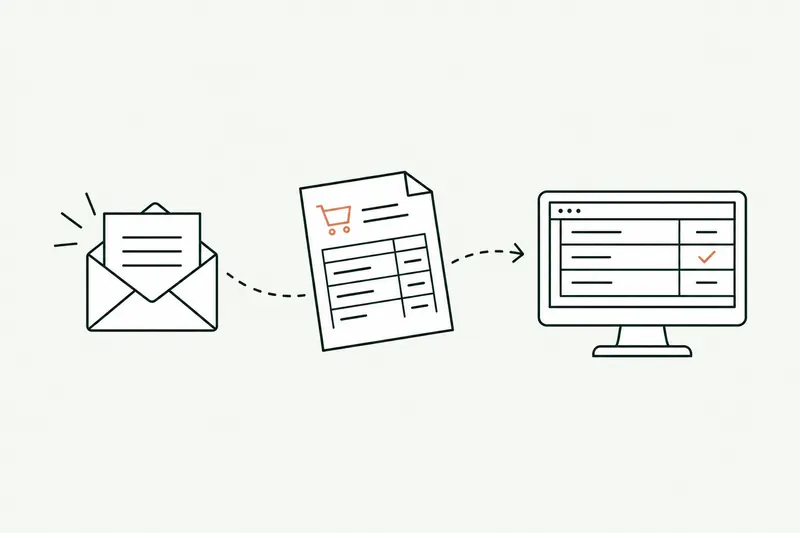
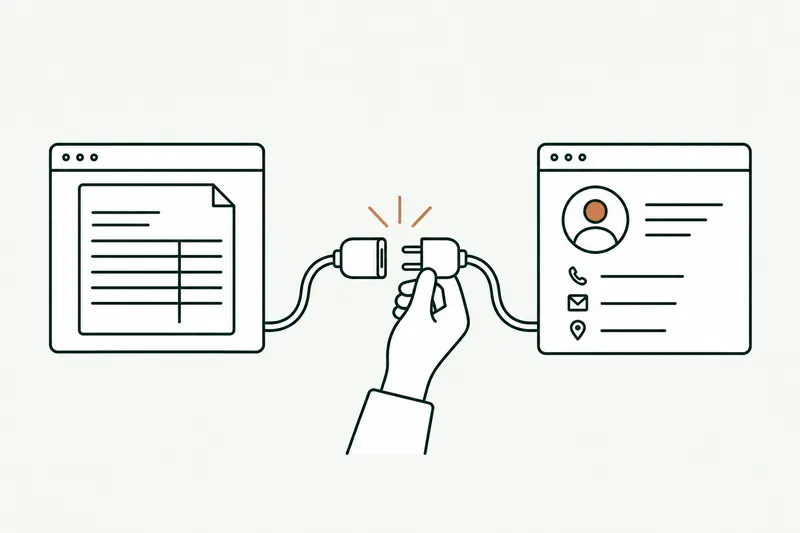
With my API integration services, an order placed on your website lands in the ERP on its own, a quote signed in the CRM becomes an invoice, and a customer created once shows up everywhere. No more retyping: every exchange is checked, then logged.
- Keep your software, nothing to replace
- Every exchange logged, retried on error
- Code and documentation in your name
30-minute callNo commitmentReply within 24 hours
Website order to ERPExample
- ReceivesWebhook: order, customer, paymentWaitingIn progressDone
- MapsSKUs, VAT, discount in ERP formatWaitingIn progressDone
- ChecksKnown customer, in stock, totals OKWaitingIn progressDone
- SyncsOrder created in Odoo, stock updatedWaitingIn progressDone
The problem
Your tools don’t talk to each other, so your team plays go-between.
Your website, CRM, ERP, and invoicing each keep their own copy of the customer, the order, and the stock. In between, a person retypes it all.
- 01
The same data typed three times
A website order retyped into the ERP, then into invoicing, then into the tracking spreadsheet: every step is lost time and another chance for a mistake.
- 02
Numbers that no longer match
Website stock doesn’t match the ERP’s, an address changed in the CRM but not in invoicing: you sell what you no longer have and ship to the wrong place.
- 03
An old system that blocks it all
Your ERP is fifteen years old and nobody dares touch it. With no link to everything else, each new tool adds retyping instead of removing it.
How it works
API integration, from trigger to log.
A connector links two systems according to rules we write together. AI only steps in where something needs reading or understanding: a PDF, an email, a description typed by hand.
- Step 1 · Receives
It catches every new event
An order, a signed quote, a new customer: a webhook signals it instantly, or a sync runs at a set time.
- Step 2 · Maps
It maps one format to another
SKUs, units, VAT rates, statuses: every field is converted using a mapping table you’ve approved.
- Step 3 · Checks
It checks before writing
Duplicate, unknown customer, inconsistent amount: anything outside the rules is set aside and flagged, not blindly copied.
- Step 4 · Syncs
It writes, then logs
The data lands in the target system and the exchange is logged. If there’s an error, it retries, then alerts you.
Two modes, set task by task
A new flow, or a sensitive exchange (prices, credit notes, customer records), is first written as pending: a person confirms, then the data goes through. Once trial runs check out, that step can be relaxed.
A proven sync runs on its own, overnight or in the middle of the day. Anything that fails the checks is set aside and flagged to the designated person.
Before and after
What changes when your software is connected.
The flows that pay off fastest are the ones someone already retypes every day.
| Task | Today | With the tool | Checks |
|---|---|---|---|
| Website orders | Export, then each order keyed into the ERP | Order created in the ERP as soon as it’s confirmed | Fully automated |
| Quote signed in the CRM | Invoice rebuilt by hand in the invoicing software | Invoice prepared from the quote lines | Accounting approval |
| New customer | Record created in the CRM, then the ERP, then accounting | Created once, copied everywhere | Automatic if no duplicate |
| Website stock and prices | Updated from an Excel export, when someone remembers | Site synced from the ERP at set times | Automatic after trial runs |
| PDF vendor invoices | Keyed in line by line in accounting | Read by AI, matched with the order | Discrepancy approval |
Typical example: actual times depend on your volumes and are measured during the audit.
Use cases
Six data flows I connect most often.
Every integration starts from real retyping your team does, not a theoretical diagram.
- 01
E-commerce site and ERP
Website orders, customers, and payments created in the ERP; stock and prices sent back to the site.
- 02
CRM and invoicing
Signed quotes become invoices, and payments show up in the CRM.
- 03
Forms and CRM
Every website inquiry lands in the CRM, linked to the right contact, with its source.
- 04
Banking and accounting
Statements pulled in, payments matched to invoices, discrepancies flagged.
- 05
Documents read by AI
PDF purchase orders, invoices, and delivery notes read, then sent to the right system.
- 06
Legacy ERP, no API
Data exchanged through files, the database, or EDI, without replacing the system you have.
Show me the retyping that costs you the most.
In 30 minutes, I’ll tell you whether your tools can talk to each other, and how. No commitment.
Who it’s for
A good fit if…
- The same information is entered in two or more systems
- Your software has an API, exports, or an accessible database
- Volumes are rising and retyping can’t keep up
- Mismatches between systems have already been costly
Limits
What I don’t do
- Replacing your ERP or CRM with other software
- Adding AI where a simple mapping will do
- Working around a vendor’s terms of use
- Launching a flow with no log and no error recovery
Your software
Your current software, finally connected.
Nothing to replace: the integration uses each tool’s API, webhooks, or exports.
- Sage
- SAP
- Odoo
 Cegid
Cegid EBP
EBP Axonaut
- HubSpot
- Salesforce
- Pipedrive
- Shopify
- WooCommerce
- PrestaShop
Don’t see your software? If it has an API, exports, or an accessible database, it can be connected. For a legacy ERP, a connector bridges the gap without replacing it.
What you get
- Connectors live, on your real data
- A log of every exchange, with error recovery
- The field mapping table, approved with you
- Technical documentation in your name
- Alerts, and back to manual in one click
Scope, fixed price, and deadline in writing up front. Accounts and code in your name.
From first call to go-live
Five steps, from first call to connected software.
One real flow live first, then the next ones on the same foundation.
About
You talk to the person who builds it.

Loïc Legrand
AI developer & UX designer · Paris
As the founder of DigitalCX, I take your first call, design the tool, write the code, and look after it once it’s live.
- No salespeople, no subcontracting
- 8 years of experience
My AI agents
They catch blind spots from the start and watch for instability.
- Testing agentReplays every real case before delivery
- Code review agentReviews every code change
- Documentation agentUpdates the guide and the log
- Monitoring agentChecks nightly that everything runs
- Updates agentTracks updates to your software
Every piece of work an agent prepares goes out only after Loïc approves it.
Clients who’ve trusted me.
From SMBs to international groups.












- Jobify
The guide
API integration services: what to know before connecting your software.
API integration connects two systems so they exchange data without human intervention: the website sends the order to the ERP, the CRM passes the signed quote to invoicing, the bank sends payments back to accounting. No more retyping from one system to the next, and no more of the mismatches that come with it.
This guide is for business owners and IT managers who want to connect their tools, from CRM to ERP: what to connect first, with which technique, and how to keep a connector from breaking silently.
Unusual situation? In 30 minutes, I’ll tell you what AI can take on, and what it shouldn’t do.
Book a call01What is API integration?
An API (application programming interface) is the door a piece of software opens to others: it defines which data can be read or written, and in what format. Most recent software has one, often a REST API.
API integration uses these doors to move information between your systems. It rests on three building blocks:
- a trigger: an event (an order created, a quote signed) signaled by a webhook, or a sync at a set time;
- a mapping: translating fields from one system to the other (SKUs, units, VAT, statuses);
- a log: a record of every exchange, successful or not.
The result: data entered once, correct everywhere, and a team that stops bridging systems by hand.
02Which systems should you connect first?
Start with the flow someone already retypes every day. It’s easy to spot: an Excel export followed by data entry, an email forwarded so someone else can retype it, a list kept up to date in two tools.
In small businesses in wholesale and distribution, manufacturing, and services, the same flows keep coming up:
- website and ERP: orders and customers to the ERP, stock and prices to the site;
- CRM and invoicing: the signed quote becomes an invoice, and the payment flows back to the sales rep;
- forms and CRM: every inquiry arrives linked to the right contact;
- banking and accounting: payments matched to invoices.
A good first flow is frequent, easy to check, and visible: the payoff shows within a few weeks, and the same foundation serves the next ones.
03Integration platform or custom connector?
Integration platforms (iPaaS tools like Zapier, Make, or n8n) connect common software without writing code. They suit simple, low-volume flows: a form that creates a contact, a notification in Microsoft Teams.
They hit their limits as soon as the rules get complicated (customer-specific pricing, different units, special cases), volumes grow, or a system isn’t in their catalog. The subscription rises with the number of operations, and the logic stays locked inside the tool.
A custom connector, or a thin integration layer (middleware) between your systems, costs more up front but follows your rules exactly, handles the load, and belongs to you. In practice, I often mix the two: a platform where it’s enough, code where precision is needed. The choice is made flow by flow, during the audit.
04A legacy ERP with no API: what can you do?
It’s the most common worry, and rarely a real obstacle. Software without an API almost always opens another door:
- file exports and imports (CSV, Excel, XML), which can be scheduled at set times;
- a database you can read, and sometimes write to, with the vendor’s permission;
- EDI, already in place at many distributors and manufacturers;
- as a last resort, a bot that replays clicks on the screen (RPA), which is more fragile.
The connector translates these exchanges into a format your other software understands. Your ERP stays in place, your team keeps its habits, and the day you replace it, only the connector needs adapting.
I check this on the very first call, so you know up front, with no commitment, whether the connection is possible and how.
05API integration and AI: where does AI actually help?
Let’s be frank: most exchanges between systems don’t need AI. When two systems have an API and clean data, a mapping rule does the job faster, cheaper, and with no risk of misinterpretation.
AI becomes useful where something needs reading or understanding:
- a PDF purchase order or invoice whose layout changes from one supplier to the next;
- an email in the sender’s own words, with the customer, items, and date to pull out;
- a hand-typed description that has to be matched to the right SKU;
- a likely duplicate that strict rules can’t see.
In these cases, AI extracts the information and hands it to the connector, and the rules check the rest. Anything it isn’t sure it understood is flagged, never written silently. Reading orders and invoices received by email falls under business process automation; giving your team an assistant that queries your software is AI integration.
06Security, logging, ownership: what makes an API integration last
You judge an integration on the day something goes wrong. Four points make the difference:
- Access: OAuth2 or dedicated keys for authentication, permissions limited to what’s strictly needed, secrets kept out of the code.
- The log: every exchange is recorded with its content and result. You know what went through, when, and why a transfer failed.
- Error recovery: if a system doesn’t respond, the transfer is retried; if it fails again, it’s set aside and an alert goes out. Nothing gets lost.
- Documentation: flows, mappings, access, and the recovery procedure are written down, in your name.
The code, the accounts, and the documentation belong to you. You’re not tied to anyone: another developer can take over the integration, and when a vendor changes its API, the update is limited to a single connector.
Questions
Your questions about API integration. Straight answers.
Formats, outages, timelines, cost: what I get asked before connecting systems.
01REST, webhook, or file: which is best for API integration?
It depends on what your software can do and how much delay is acceptable. A webhook signals instantly, a REST call fetches or writes the data, and a file suits batch exchanges or older software. A single integration often combines all three.
02What happens when a system’s API changes?
Vendors usually announce their changes in advance. Since each system has its own connector, only that part needs adapting, without touching the rest. The log and alerts flag any failure from the very first rejected exchange.
01Does API integration work with my ERP?
Yes, if your ERP can share its data, through an API, exports, or its database. That’s true of Sage, SAP, Odoo, Cegid, EBP, and most software on the market. I check it on the very first call, with no commitment on your part.
02Do we have to shut down our software during the integration?
No. Connectors are built and tested separately, on a copy or a test environment when the vendor offers one. Go-live happens on a date we choose together, and you can switch back to the old way in one click.
01How much do API integration services cost?
The price of an API integration depends on the number of systems, the mapping rules, and the volumes. The audit, the prototype, and go-live each have a fixed price, written into the proposal. Any subscriptions (platform, hosting) stay in your name, with no markup.
02How long does it take to connect two systems via API?
The audit takes 10 business days and the prototype 5 days, on a first real flow. The flow then goes live on the date we set together. The next flows build on the same foundation, so they go faster.
Use cases
This service, on a real problem
Related services
Often combined with
Contact
Which task do you want to stop doing by hand?
Describe it in one sentence. I’ll tell you if AI can really take it off your plate.
On the call, we look at your workflow together and I show you the closest tool, on sample data. If a simple setting in your software does the job, I’ll tell you.
The blog
Go further
- Automation · 10 minEDI or AI: automating the entry of email orders into your ERPOrder EDI only covers your biggest customers: the others still send PDFs, spreadsheets, and emails that the order desk retypes into the ERP. Here’s how AI reads those orders, checks them against your rules, and prepares them in the software, and what e-invoicing won’t change.Read the article
- Planning & costs · 10 minCustom software: what a business application costs in 2026, price ranges and hidden costsCustom software ranges from €10,000 to over €150,000 before tax among providers in France that publish their rates. Here’s why two quotes for the same need can differ threefold, what the tool costs over three years, and how to read a quote without getting it wrong.Read the article
- Automation · 11 minSage 100 API (France): connecting AI and your other software to your ERPThere isn’t one Sage 100 API, but several ways in, and the right one depends on your version and your hosting. Here’s a neutral map of those paths, what each one lets you read or write, how to plug AI into them, and where Odoo, EBP, and Cegid stand.Read the article