Industry · Finance & accounting
AI for finance & accounting: a month-end close without retyping.
AI for accounting and finance takes on the paperwork: vendor invoices, bank statements, payment reminders, and supporting documents. It reads, reconciles, and prepares everything in your accounting software. Recurring invoices with no discrepancies can go through on their own. Every financial decision stays with your CFO or your accountant.
- For CFOs, accountants, and brokers
- In Sage, Cegid, EBP, or Pennylane
- Every entry proposed with its reasoning
30-minute callNo commitmentReply within 24 hours
Finance log · MondayExample
- 7:45 AMDurand invoice entered, coded to account 606Auto
- 8:10 AM312 bank transactions matched, 4 pendingAuto
- 8:30 AMDuplicate invoice flagged for AliceApproved
- 9:15 AMMartin SA reminder ready, 15 days overdueApproved
- 10:00 AMMonthly report drafted, 3 variances explainedApproved
- 11:20 AMLoan application: 2 missing documents requestedAuto
Tasks handled this morning: 0
Your day-to-day
Documents, bank, reporting: what drags out month-end.
Work nobody takes seriously, until the same invoice gets paid twice.
- 01
Documents coming in from everywhere
PDF invoices, photos of receipts, statements, expense reports: every document is opened, read, coded, and filed by hand before it reaches the books.
- 02
Reconciliations that don’t add up
A batch payment, a truncated description, a deposit: unmatched lines pile up and the month-end close slips by a few days.
- 03
Reporting that eats up month-end
Exports, pivot tables, budget variance comments: by the time the monthly report is ready, the numbers are already stale.
Six tasks to hand off to AI
Six accounting and finance tasks to hand off to AI.
Data entry and reconciliation can run on their own when everything matches. Reminders, loan files, and reports go through a person before they go out.
- Can run on its own
Enter purchase invoices
Vendor, amounts, VAT, and due date are read, the account is suggested based on your coding habits, and the entry is prepared.
ServiceBusiness process automation - Can run on its own
Match bank lines to invoices
Each statement line is matched to its invoice or payment. Only questionable lines go to a person.
ServiceBusiness process automation - With approval
Prepare payment reminders
Overdue invoices are spotted, and the reminder is written in the right tone for the customer and their history, then sent or submitted for approval.
ServiceAI agents for business - Can run on its own
File supporting documents
Invoices, contracts, statements, and certificates are named, filed in the right folder, and attached to their entry, with no manual sorting.
ServiceAPI integration - With approval
Prepare loan applications
Financial statements, tax returns, IDs, supporting documents: the tool checks that the file is complete and legible, and requests what’s missing.
ServiceBusiness process automation - With approval
Write the monthly report
The month’s numbers, budget variances, and their likely causes: a first draft with commentary, for you to review.
ServiceAI integration
A typical day
A week of month-end close, before and after.
Same team, same volumes: the close is about analysis now, not data entry.
Today
- MonKeying in 180 purchase invoices, one by one
- TueBank reconciliation, 40 lines unmatched
- WedCustomer reminders written one by one
- ThuExports and spreadsheets for the monthly report
With the tool
- MonInvoices already entered, six exceptions to approve
- MonBank reconciled, four lines to resolve
- TueReminders reviewed and sent within an hour
- WedReport and commentary ready, time back for analysis
Illustrative example: fictional company and schedule.
A demo of your use case on the very first call.
Thirty minutes on a real task from your team. No commitment.
Your software
Your accounting software, connected to AI, no migration.
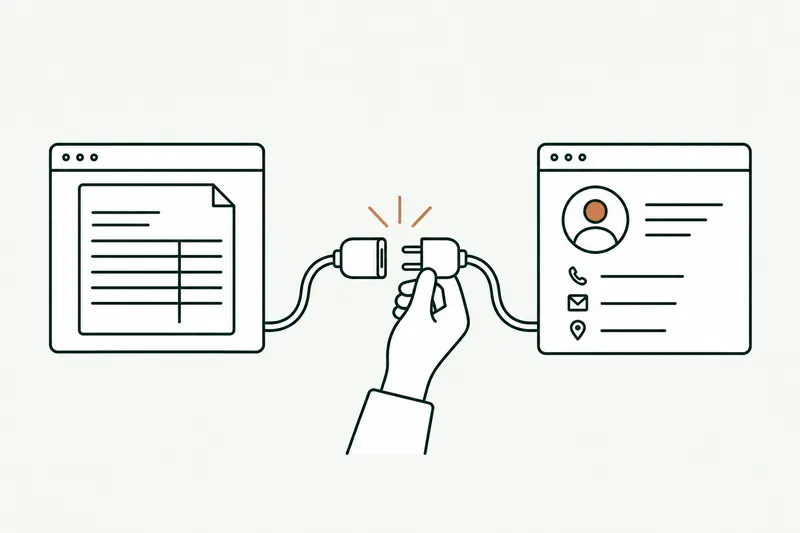
The tool works inside your accounting software, your inbox, and your spreadsheets.
- Sage
 Cegid
Cegid EBP
EBP Axonaut
 Sellsy
- Odoo
- Excel
- Google Sheets
- Outlook
- Gmail
- SharePoint
- Teams
Pennylane, Quadra, Agiris, Tiime, a cash management or brokerage tool? If it offers an API or exports, the tool connects to it. If not, I’ll tell you on the first call.
About
You talk to the person who builds it.

Loïc Legrand
AI developer & UX designer · Paris
As the founder of DigitalCX, I take your first call, design the tool, write the code, and look after it once it’s live.
- No salespeople, no subcontracting
- 8 years of experience
My AI agents
They catch blind spots from the start and watch for instability.
- Testing agentReplays every real case before delivery
- Code review agentReviews every code change
- Documentation agentUpdates the guide and the log
- Monitoring agentChecks nightly that everything runs
- Updates agentTracks updates to your software
Every piece of work an agent prepares goes out only after Loïc approves it.
Clients who’ve trusted me.
From SMBs to international groups.












- Jobify
The finance & accounting guide
AI in finance: what it does, and what it doesn’t.
In a finance department, an accounting firm, or a brokerage, time goes into handling documents: reading, retyping, reconciling, filing, chasing. This work adds little value, but a mistake there is expensive: an invoice paid twice, a forgotten reminder, an incomplete file. That’s where AI helps, not in the financial decision itself.
Unusual situation? In 30 minutes, I’ll tell you what AI can take on, and what it shouldn’t do.
Book a call01AI for accounting: automating vendor invoice entry
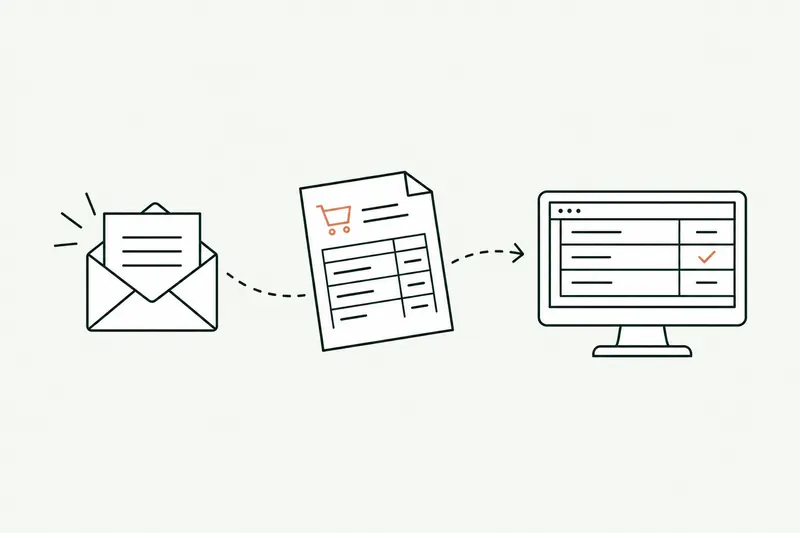
AI reads the invoice, whether it arrives as a PDF, a photo, or an e-invoice, identifies the vendor, the pre-tax amounts, the VAT, and the due date, then suggests the account coding based on your habits. Where basic OCR just copies characters, AI understands the document and catches what tired eyes miss: a duplicate, a VAT number that changes, an amount that doesn’t match the purchase order.
At first, a person approves every entry. After that, recurring invoices with no discrepancy (rent, subscriptions, regular vendors) can go through on their own, and the rest still go to a person. E-invoicing doesn’t remove this work. In France, since September 2026, every business must be able to receive e-invoices, and small and midsize businesses will have to issue them starting September 2027. Documents become more structured, so they’re easier to process. The method is laid out on the business process automation page.
02AI bank reconciliation: what it adds to your software
Accounting software already reconciles the simple cases: one amount, one date, a clear description. AI handles what’s left unmatched: batch payments covering three invoices, descriptions truncated by the bank, deposits, differences of a few cents, fees withheld by a payment processor.
For each line, it proposes a match with its reasoning (“€4,812 transfer = invoices 1043 and 1047, bank fee difference”), and a person confirms it. Confirmed matches feed the rules, so the next month the same cases go through on their own. The gain shows at month-end close: fewer pending lines, the month closed sooner, and an accountant who spends time on real discrepancies rather than hunting for matches.
03Can you trust a financial report written by AI?
The report is reliable if its numbers are: the tool calculates nothing it doesn’t find in your software. It pulls data from accounting, sales, and cash, compares it to the budget, and drafts the first version of the commentary, with the likely cause of each variance and a link to the entries involved.
The controller or the business owner reviews, corrects, and signs off. They save the time spent on formatting, not on analysis: they decide whether a variance is a one-off or a trend. For the tool to see these numbers while respecting each person’s access rights, you need AI integration in your software, not copy-pasting into a chat window.
04What AI shouldn’t do in finance
I don’t build tools that give financial advice, grant credit, or make investment decisions. Those decisions stay human, and are often regulated. Likewise, compliance checks at brokers and accounting firms (know your customer, anti-money laundering) remain a person’s responsibility: AI checks that the documents are there and legible, but it doesn’t judge a file.
- Yes: read, reconcile, prepare, flag, write a first draft.
- No: decide, advise, or sign off on compliance instead of a person.
This boundary is written into the proposal, task by task, before the first day of work. It also protects your team: no one has to wonder whether the tool “decided” something. If your need falls under financial advice or a regulated tool, I’ll tell you on the very first call.
Questions
Questions from finance teams. Straight answers.
01Does AI work with our accounting software?
Yes, if it can share its data through an API or exports. That’s the case for Sage, Cegid, EBP, Pennylane, Axonaut, and most business management software, so you keep your current tools.
02Can AI make mistakes when coding entries?
Yes, just like a person. That’s why every entry is approved at first, and every suggested coding comes with its reasoning. Errors go down because the rules are written down and applied the same way every time, not because the tool is infallible.
01Where should you start with AI for accounting?
With the task that comes up the most and frustrates people the most. That’s often accounts payable invoice entry or payment reminders. The 10-day audit measures the time spent on each and picks the first one to hand off to AI.
02Should our outside accountant be involved?
Ideally, yes, if they keep your books: the tool prepares entries according to their chart of accounts and their rules. I can bring them into the audit if you’d like.
01Is our financial data safe with AI?
Each person only sees what their access rights allow, and the AI provider, European if you prefer, is named in the contract. Your numbers are never used to train any model, and the accounts stay in your name.
Other industries
Same tasks, different names
Contact
Which task do you want to stop doing by hand?
Describe it in one sentence. I’ll tell you if AI can really take it off your plate.
On the call, we look at your workflow together and I show you the closest tool, on sample data. If a simple setting in your software does the job, I’ll tell you.
The blog
Go further
- Automation · 10 minEDI or AI: automating the entry of email orders into your ERPOrder EDI only covers your biggest customers: the others still send PDFs, spreadsheets, and emails that the order desk retypes into the ERP. Here’s how AI reads those orders, checks them against your rules, and prepares them in the software, and what e-invoicing won’t change.Read the article
- Automation · 11 minSage 100 API (France): connecting AI and your other software to your ERPThere isn’t one Sage 100 API, but several ways in, and the right one depends on your version and your hosting. Here’s a neutral map of those paths, what each one lets you read or write, how to plug AI into them, and where Odoo, EBP, and Cegid stand.Read the article
- Data & security · 10 minShadow AI: your team already uses ChatGPT. How to manage it without banning itShadow AI is the use of ChatGPT, Claude, or Copilot at work with personal accounts, outside any framework. The risk isn’t AI, it’s the account: here’s what the numbers, France’s CNIL, and ANSSI say, which accounts to choose, and a one-page AI policy template.Read the article