Industry · Field service & maintenance
AI for field service companies: more jobs, less paperwork.
AI for field service companies handles everything around the job: repair requests, technician scheduling, job reports, quotes, and customer reviews. It prepares the work in your CMMS. Your operations manager makes the call on emergencies, and preventive visits get scheduled on their own once things run smoothly.
- For operations, service, and on-call teams
- In your CMMS or field service software
- Nothing extra for technicians to fill out
30-minute callNo commitmentReply within 24 hours
Dispatch log · MondayExample
- 7:55 AMBoiler breakdown logged for DurandAuto
- 8:10 AMJob booked Tuesday 9 AM, nearest technicianApproved
- 9:30 AMJob report written and sentAuto
- 10:15 AMReplacement quote priced, ready to sendApproved
- 11:00 AMTom’s rating dropping: pairing with Paul proposedApproved
- 11:45 AMAnnual service visit reminder sent to 6 customersAuto
Tasks handled this morning: 0
Your day-to-day
Scheduling, reports, reviews: where the office’s day disappears.
Technicians on the road, and an office chasing after them from morning to night.
- 01
A schedule redone ten times a day
An emergency, a customer who isn’t home, a missing part: everything gets moved by hand, and every customer and technician has to be told.
- 02
Job reports written after hours
Notes on the back of a work order, photos, voice messages: the technician writes it up after the day is done, and the office waits for that paperwork to send the invoice.
- 03
Reviews and complaints no one reads
Early warning signs get lost among online reviews, emails, and calls, until the day a customer doesn’t renew their contract.
Six tasks to hand off to AI
Six field service tasks to hand off to AI, from call to invoice.
Job reports and service reminders can go out on their own once they run smoothly. Emergency scheduling and quotes go through your manager.
- With approval
Take service requests
The AI receptionist picks up when the office is busy, notes the address, the equipment, and the urgency, then creates the request in the CMMS.
ServiceAI receptionist - With approval
Propose technician schedules
Skills, territory, certifications, and parts on hand: the tool suggests the time slot and the technician, and the dispatcher confirms.
ServiceAI agents for business - Can run on its own
Write job reports
From the technician’s notes, photos, and voice message, the report is cleaned up and sent to the customer.
ServiceBusiness process automation - With approval
Quote repair jobs
Parts, labor, and travel are calculated from your rates. The quote is ready to review as soon as the technician is back.
ServiceBusiness process automation - With approval
Monitor reviews and complaints
Reviews, service calls, and complaints are cross-checked. When a rating drops, the tool gives the likely cause and suggests an action.
ServiceAI integration - Can run on its own
Track maintenance contracts
Customers are reminded of preventive visits, due dates, and renewals on time, with a suggested slot to confirm.
ServiceAPI integration
A typical day
A morning in the dispatch office, before and after.
Same technicians, same customers: the office stops chasing paperwork.
Today
- 7:30 AMPhones swamped, three breakdown calls on hold
- 8:30 AMSchedule redone by hand after an emergency
- 10:00 AMChasing technicians for yesterday’s reports
- 11:30 AMLast week’s quotes still not sent
With the tool
- 7:30 AMRequests already logged, emergency at the top
- 7:45 AMSchedule proposed, two changes to confirm
- 8:15 AMReports sent, invoices ready
- 9:00 AMCalls to customers whose contracts are expiring
Illustrative example: fictional company and schedule.
A demo of your use case on the very first call.
Thirty minutes on a real task from your team. No commitment.
Your software
Your CMMS and your tools, connected without starting over.
The tool works inside your field service software, your calendar, your email, and your invoicing.
- Google Calendar
- Outlook
- Gmail
- Teams
- Sage
 EBP
EBP- Odoo
 Axonaut
 Sellsy
- Excel
- Google Sheets
A CMMS (maintenance management system) like Carl Source or DIMO Maint, field service software like Praxedo or Kizeo Forms, an in-house mobile app? If they offer an API or exports, they can be connected. We’ll look at it together on the call.
About
You talk to the person who builds it.

Loïc Legrand
AI developer & UX designer · Paris
As the founder of DigitalCX, I take your first call, design the tool, write the code, and look after it once it’s live.
- No salespeople, no subcontracting
- 8 years of experience
My AI agents
They catch blind spots from the start and watch for instability.
- Testing agentReplays every real case before delivery
- Code review agentReviews every code change
- Documentation agentUpdates the guide and the log
- Monitoring agentChecks nightly that everything runs
- Updates agentTracks updates to your software
Every piece of work an agent prepares goes out only after Loïc approves it.
Clients who’ve trusted me.
From SMBs to international groups.












- Jobify
The field service guide
Field service AI: what it takes on, what it leaves to you.
In field service and maintenance, value is created at the customer’s site. Every hour a technician spends in the office, and every hour the office spends chasing them, is an hour lost to the job. AI handles everything around the job, not the job itself.
People often talk about predictive maintenance, which requires sensors and a long history of data. For small and midsize field service companies, the first gains are elsewhere: taking requests, scheduling, reports, and quotes.
Unusual situation? In 30 minutes, I’ll tell you what AI can take on, and what it shouldn’t do.
Book a call01AI scheduling for field service: who decides?
AI prepares, the dispatcher decides. The tool reads the request (phone, email, customer portal), identifies the equipment, the contract, and the level of urgency, then suggests a time slot based on each technician’s skills, territory, certifications, and the parts in stock. Calls that come in while the office is swamped can be taken by an AI receptionist that logs the breakdown and the address.
When an emergency comes in, the tool suggests the least costly schedule changes and drafts the messages to the customers affected. The dispatcher confirms in one click. Over time, simple cases, like fitting an annual service visit into a route, can be scheduled on their own; emergencies and sensitive customers still go to a person for approval. Each suggestion shows its reasoning, so the dispatcher sees why one technician was picked over another.
02Job reports: the technician dictates, AI writes
Technicians keep working the way they always have: a few notes, some photos, a voice message from the van. The tool cleans it all up using your template: equipment, findings, work done, parts replaced, recommendations, time spent.
The report goes to the customer, is saved in the equipment history, and feeds into invoicing. Replaced parts update the van’s stock. If something is missing, like the serial number, the technician gets a short question instead of a form to fill out at night. The office invoices sooner, and each piece of equipment finally has a complete history: on the next repair call, the technician knows what’s already been done on the machine. It’s the same principle as business process automation with no retyping: information is entered once, then flows.
03Customer reviews: AI flags a technician who needs support, not a penalty
Online reviews, complaints, and job reports say a lot, but no one has time to cross-check them. The tool does it every week. Take a fictional example: Tom’s rating drops to 3.1 out of 5 over his last four reviews, and the comments mention professionalism, not technical skill.
The tool flags the trend with the likely cause and suggests an action: four jobs paired with Paul, who’s highly rated on the same kind of work. It’s coaching, not a penalty: the operations manager talks it over with Tom and decides. The same cross-check spots equipment that keeps breaking down, or a customer at risk of not renewing their contract. A manufacturer tracking its installed base of machines does the same thing: see AI for small manufacturers.
04Repair quotes and contracts: where AI gives time back
A replacement quote that sits for a week is often a lost quote. The tool prices it as soon as the job report comes in: part numbers, your suppliers’ prices, labor time, travel costs. The manager reviews it and sends it the same day, and a follow-up goes out if the customer doesn’t reply.
For maintenance contracts, it tracks due dates, prepares required inspections, and reminds customers about renewals. A contract nearing its end with several recent complaints is flagged before the date, so your team has time to call the customer. Renewals are prepared on facts, with the job history in front of you. At first, every quote and every reminder is reviewed; preventive visit reminders, which are always the same, can then go out on their own.
Questions
Questions from field service companies. Straight answers.
01How can field service companies use AI?
For the office work around the job: taking requests, scheduling, reports, quotes, and contract follow-up. Field service AI never touches the machine. It gives technicians and dispatchers back the time they spend retyping.
02Can AI connect to our CMMS or field service software?
Yes, if your CMMS or field service software can share its data through an API or exports, which most solutions on the market can. Your technicians keep their app.
01How much does AI for maintenance companies cost?
A fixed price, written in the proposal, that depends on the tasks selected and the software to connect. The 10-day audit first measures the time spent on reports, scheduling, and quotes; the audit fee is credited toward the prototype.
02Does AI schedule technicians on its own?
Not at first: the schedule is proposed and your dispatcher confirms it. Simple tasks, like booking a service visit, can then run on their own. Emergencies still go to a person for approval.
01Do reviews of our technicians stay confidential?
Yes. The analyses stay in your tools, visible only to the people you choose, and are never used to train an AI model. The AI provider you choose is named in black and white in the contract.
Other industries
Same tasks, different names
Contact
Which task do you want to stop doing by hand?
Describe it in one sentence. I’ll tell you if AI can really take it off your plate.
On the call, we look at your workflow together and I show you the closest tool, on sample data. If a simple setting in your software does the job, I’ll tell you.
The blog
Go further
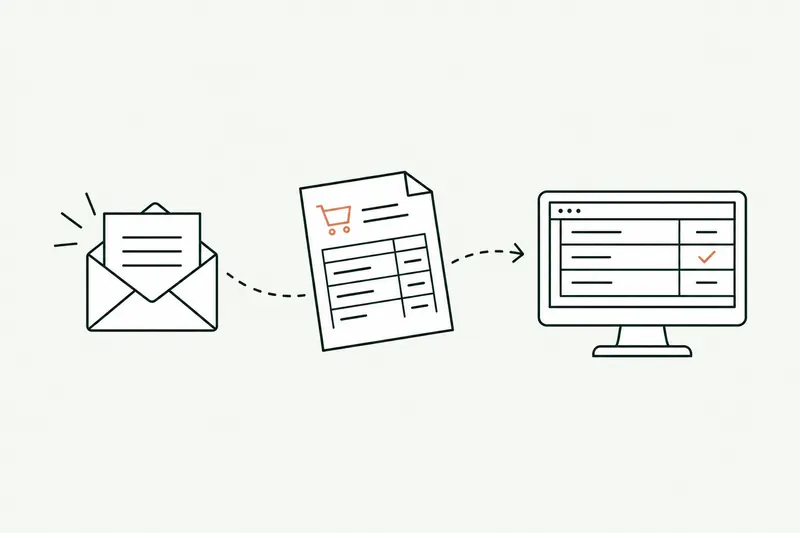
- Automation · 10 minEDI or AI: automating the entry of email orders into your ERPOrder EDI only covers your biggest customers: the others still send PDFs, spreadsheets, and emails that the order desk retypes into the ERP. Here’s how AI reads those orders, checks them against your rules, and prepares them in the software, and what e-invoicing won’t change.Read the article
- Planning & costs · 10 minCustom software: what a business application costs in 2026, price ranges and hidden costsCustom software ranges from €10,000 to over €150,000 before tax among providers in France that publish their rates. Here’s why two quotes for the same need can differ threefold, what the tool costs over three years, and how to read a quote without getting it wrong.Read the article
- Data & security · 10 minShadow AI: your team already uses ChatGPT. How to manage it without banning itShadow AI is the use of ChatGPT, Claude, or Copilot at work with personal accounts, outside any framework. The risk isn’t AI, it’s the account: here’s what the numbers, France’s CNIL, and ANSSI say, which accounts to choose, and a one-page AI policy template.Read the article