Key takeaways
- An AI agent is a system where the AI model chooses its own steps and tools to reach a goal. An automation follows a path written in advance. A chatbot answers questions.
- Start with the simplest tool that does the job: many small business tasks can be handled by an automation with a little AI at the step that requires reading, no agent needed.
- When an agent makes sense, you set its controls task by task: a person approves at first, then the task switches to fully automated after successful trial runs, with thresholds, a log, and a way back to manual.
An AI agent is software that receives a goal, reads what comes in, chooses the next step on its own, and acts in your tools (ERP, CRM, email) until the work is done. A chatbot, by contrast, answers questions. An automation runs steps written in advance, always in the same order. To choose, look at the task, not the buzzword: if the path is always the same, an automation is enough; if the job is answering questions, a chatbot; if it takes reading, deciding, and acting across several systems, then an AI agent.
On a first call, I often hear “we need an AI agent.” Sometimes that’s true. Often, a well-built automation is enough, and it’s cheaper and more predictable. This article walks through the checklist I use to decide, and how I set human review when an agent really is useful.
What is an AI agent?
The clearest definition I know comes from Anthropic, the company behind Claude, in a guide published in December 2024. It separates two families of systems built with a language model:
- workflows, where the model and tools are orchestrated “through predefined code paths”: you, or your developer, wrote the path in advance;
- agents, where the model directs its own process and tool use: it decides what to do next based on what it finds.
In practice, an AI agent does four things: it reads (an email, a PDF, a call transcript), it checks (in the ERP, the CRM, your price lists), it prepares (an order, a reply, a quote), and it acts (it records, sends, or hands off). The question that sets an agent apart from everything else is simple: who decides the next step? In an automation, the code does. In an agent, the model does. And the more the model decides, the more guardrails you need.
Finally, an “AI assistant” usually means a tool that helps a person while they work: it drafts, summarizes a document, or suggests a reply, but the person is the one who acts. The agent acts in your software. That’s the whole difference between an AI agent and an AI assistant.
AI agent vs chatbot vs AI assistant vs automation: what’s the difference?
Here’s the table I show business owners who are on the fence. It’s no substitute for looking at your data, but it keeps you clear of the obvious mistakes.
| Criterion | Automation | Chatbot | AI assistant | AI agent |
|---|---|---|---|---|
| What it does | Runs a fixed path | Answers questions | Helps a person draft or summarize | Pursues a goal, chooses its steps |
| Input data | Structured (form, export, API) | Open-ended questions, your documents | Whatever the person gives it | Emails, PDFs, calls, several tools |
| Acts in your software | Yes, always the same way | Rarely | No, the person acts | Yes, depending on the situation |
| Predictability | Very high | Good if it relies on your documents | Depends on the review | Has to be built: thresholds, log, approval |
| Setup cost | The lowest | Medium | Low (subscription) | The highest |
| Main risk | Breaks if the format changes | Wrong answer given to a customer | Copy-pasting without checking | Wrong action in your software |
| Human review | Fully automated | Hands off at the slightest doubt | Always, by design | Approval, then on its own after trial runs |
Anthropic’s advice points the same way: look for the simplest solution, and add complexity only when it truly improves the result. Agentic systems, the company writes, trade latency and cost for better performance, and for many uses, a single model call, backed by a search of your documents, is enough.
Key point An AI agent isn’t “smarter” than an automation: it’s more autonomous. You pay for that autonomy in cost, setup time, and guardrails. Only pay for it when the task demands it.
Six small business examples: AI agent, chatbot, or automation?
Here are six of the seven scenarios from the homepage demo. They’re fictional, but they’re the tasks I see most often at small businesses in wholesale, manufacturing, and services. For each one, here’s the tool that actually fits.
| Situation (fictional example) | What you need | Why |
|---|---|---|
| Martin SA sends its orders as PDFs, each with its own layout | Automation + AI that reads; an agent if cases vary a lot | An unstructured document has to be read, then prices and stock checked against fixed rules |
| Julien is busy at 12:40 p.m. and a customer calls | Voice agent (a lightweight agent) | It has to understand the request, check the calendar, and offer a meeting time |
| The same lead-time and warranty questions keep coming back | AI chatbot for your documents | The answers already exist; they have to be found and the source cited |
| Tom, a technician, sees his rating drop in reviews | Automation + AI that reads the comments | Collection follows rules; AI reads the text and suggests a likely cause |
| A competitor launches a promotion | Automation + AI that summarizes | Collecting public sources is a fixed routine; only the summary needs AI |
| The Monday report for the partners | Automation + AI that writes | The numbers come from the CRM, sales, and accounting; AI writes the key points |
Out of six situations, only one truly calls for an agent from day one: the phone call, because a conversation never follows the same path. Order entry can become one as cases multiply (unknown customer, substituted item, negotiated discount). The other four are handled by an automation, with AI at one precise step. That’s the core of my business process automation service: rules wherever possible, AI only where something has to be read or written.
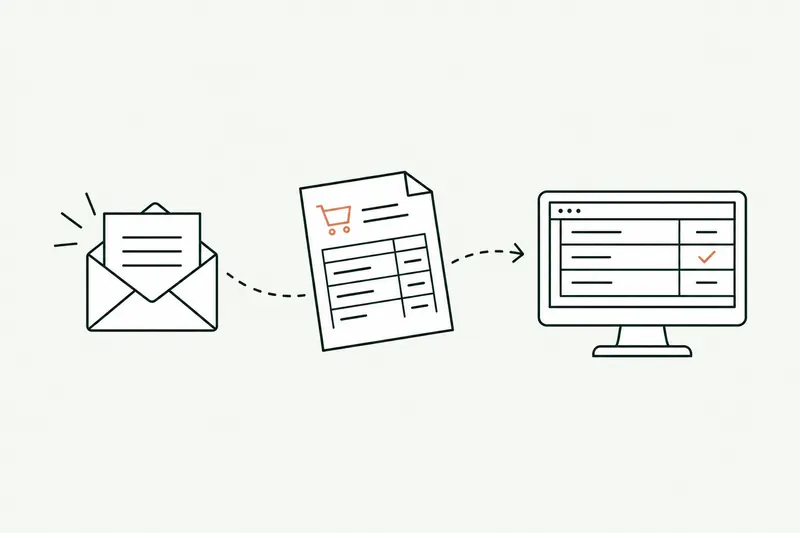
For the order from Martin SA, a fictional distributor, AI only steps in where the PDF has to be read. Monitoring the inbox, checking prices and stock, and sending the order to the ERP are standard code, predictable and inexpensive. The full workflow is laid out in the article on automated order processing in the ERP, a task that weighs heavily on wholesale and distribution companies.
AI agent vs automation: five questions to help you choose
Ask these five questions about the task you want to hand off.
- Is the path always the same? If every case goes through the same steps in the same order, start with an automation. If the next step depends on what you discover along the way, you need an agent.
- Does the data arrive structured? A form or an export can be handled by rules. An email, a PDF, or a call needs an AI model to be read, but not necessarily an agent.
- Is it mostly about answering? If the task is to inform a customer or a colleague from your documents, what you need is an AI chatbot for your documents, one that hands off at the slightest doubt.
- How many systems does it need to check or update? One is often a job for an automation. Three or four, with back-and-forth depending on what turns up, is agent territory.
- What does a mistake cost? A poorly updated CRM record takes a minute to fix; a commitment made to a customer, much more. The more a mistake costs, the tighter human review should be at the start.
If you answer “always the same,” “structured,” and “one tool,” you don’t need an agent. If you answer “it depends,” “PDFs and emails,” and “three tools,” an AI agent for your business makes sense, with the guardrails described below.
Why so many AI agent projects fail
In June 2025, the research firm Gartner predicted that over 40% of agentic AI projects would be canceled by the end of 2027, because of escalating costs, unclear value, or inadequate risk controls. Gartner also warns about “agent washing”: chatbots, assistants, or automation tools rebranded as “agents” without the capabilities. By its estimate, only about 130 vendors, out of thousands, offer real agents.
In France, the Banque de France, the country’s central bank, finds that 67% of companies with 20 or more employees use generative AI, most often in a limited way, and only 31% of them already see productivity gains. According to INSEE, France’s national statistics office, lack of expertise is the top obstacle cited by companies that use AI (53%). My takeaway for a small business: an agent should be built for a measured task (how many cases a week, how long each one takes, what a mistake costs), not on a whim, and be under control from day one.
Approve, or let the AI agent run on its own: how to set human review
“Does a person have to approve everything the agent does?” Two ready-made answers are going around, and both are wrong: “yes, always” and “no, the whole point is that everything runs on its own.” Human review is a setting, not a rule, and it’s set task by task. The same agent can enter a regular customer’s orders on its own and send a quote above a certain amount for approval.
Approval mode: the agent prepares, a person gives the green light
Every new task starts this way. The agent reads, checks, and prepares; a person reviews and gives the green light, corrects, or rejects. This isn’t caution for its own sake: it’s the phase where you discover the cases nobody had described, and measure what the agent gets right without edits. For approval to stay meaningful, the screen shows what’s out of the ordinary (the price gap, the discount, the uncertain field), not a whole page to reread: after clicking “approve” on correct proposals again and again, people stop reading. The EU AI Act has a name for this pitfall: automation bias.
Fully automated mode: after successful trial runs on your data
Once a task has been approved many times without corrections, on your real data and on the usual variations (formats, customers, busy periods), approval no longer adds much: the task can switch to fully automated. There’s no official threshold like “a hundred approvals and you’re good.” The number of trial runs is set with you, based on volume and the cost of a mistake, and written down at the start. Fictional example: at Martin SA, Alice on the order desk reviews every prepared order for the first few weeks; once the trial runs are done, orders from regular customers below a set amount go through on their own, and new customers still go through her.
Always: escalation thresholds, a log, manual mode in one click
- Thresholds that send cases to a person: an amount above a cap, a nonstandard discount, an unknown customer, an unreadable document, the model’s own doubt. A language model can produce results that are “inaccurate but plausible,” as France’s data protection authority, the CNIL, points out: what the agent can’t classify, it doesn’t guess. It hands it off with whatever it has already prepared.
- A log of every action: what came in, what went out, the rule applied, who approved it or the “automatic” label, and the time. It helps you understand a mistake and count trial runs.
- Stop conditions, such as a maximum number of steps, so the agent doesn’t go around in circles. Anthropic recommends them too, along with checkpoints where the agent pauses for human feedback.
- Back to manual in one click: a task running fully automated goes back to approval, or to manual mode, with one click and no technician. Useful when your prices change or a new type of document arrives.
Key point You don’t switch “AI” to automatic: you switch one task, within a precise scope, after successful trial runs. The mode chosen for each task is written into the proposal, so nobody finds out after the fact what runs on its own.
Does the EU AI Act apply to an AI agent?
I’m not a lawyer and this isn’t legal advice, but three guideposts clear up most misunderstandings. First, an automation made of rules and API calls, with no model that “infers,” is in principle not an AI system as defined in Article 3 of the EU AI Act; that assessment is made case by case. Second, since August 2, 2026, a chatbot or voice agent that talks with the public must disclose that it’s an AI (Article 50). That’s the topic of the article on customer service chatbots and the EU AI Act, and my breakdown of AI receptionist cost factors it in.
Finally, Article 14, which requires human oversight, only covers high-risk systems (hiring, credit, education…), and its rules won’t apply until December 2, 2027, for the uses listed in Annex III. An agent that enters orders or prepares quotes isn’t one of them. It still calls for safeguards proportionate to its level of autonomy: that’s the idea behind a task-by-task setting. As for the GDPR (Article 22), it protects people against decisions based solely on automated processing that significantly affect them: rejecting a job applicant with no human review, yes; entering an order, no.
What I don’t recommend
- An agent where a rule would do. Copying each new website customer into the CRM needs neither AI nor an agent. You’d pay more for a less predictable tool.
- An “autonomous” agent from day one. The cases nobody anticipated reach your customers before you’ve seen them. Start in approval mode, observe, correct.
- Buying an “agent” that isn’t one. Ask the vendor what the tool decides on its own and what’s written in advance. If they can’t answer, it’s a rebranded chatbot or workflow.
- Promising an always-on presence without saying what happens at night. An agent answers around the clock on what it was built to handle; the rest goes to a person, the next morning if need be.
- Forgetting that you answer for what your tool says. In February 2024, a British Columbia tribunal held Air Canada liable for wrong information given by the chatbot on its website, and rejected the idea that the chatbot was a separate entity.
The simplest way to decide is to start from a real task and watch it being handled. If you first want to know what a tool built for you costs, the article on custom software development cost gives market benchmarks.
Sources
- Building effective agents, Anthropic, December 19, 2024
- Over 40% of agentic AI projects will be scrapped by 2027, says Gartner, Outlook Business, June 25, 2025 (coverage of the Gartner press release)
- Moffatt v. Air Canada, 2024 BCCRT 149, Civil Resolution Tribunal of British Columbia, February 14, 2024
- Regulation (EU) 2024/1689 on artificial intelligence (AI Act), Articles 3 and 14 and Annex III, EUR-Lex
- AI Act, Article 50: transparency obligations, artificialintelligenceact.eu
- AI Act, Article 14: human oversight, artificialintelligenceact.eu
- AI Act implementation timeline, AI Act Service Desk, European Commission
- General Data Protection Regulation (EU) 2016/679, Article 22, EUR-Lex
- How to deploy generative AI: the CNIL’s first guidance (in French), CNIL, July 18, 2024
- Insee Première No. 2120, AI use in businesses (in French), 2026
- AI in French firms, Banque de France Bulletin No. 266/1, September 3, 2026

Loïc Legrand
AI developer and integrator in Paris, founder of DigitalCX. Eight years of web development and design; he builds AI tools plugged into the software small businesses already use.